Automation
Make + AutomateNexus CRM
Webhooks trigger your scenarios; the HTTP module writes records back.

Make, wired into your pipeline.
- 01
Webhooks module in, HTTP module out
A custom webhook in Make receives signed CRM events; an HTTP module calls the REST API to create or update contacts, companies, deals, tasks and notes with your API key.
- 02
Trigger on twelve CRM events
Contacts, companies, customers and tasks created or updated, deals created, updated or moved between stages, and form submissions, chosen per webhook.
- 03
Enrich before it lands
Route the payload through Make's iterators, aggregators, data stores and error handlers first, then write the result back to the record.
Connected in three steps.
- Step 01
Add a custom webhook in Make
Create a scenario, add the Webhooks module with a custom webhook and copy the URL Make generates.
- Step 02
Create the webhook in the CRM
Under Settings → Integrations → Developer → Webhooks, paste the URL, tick the events and click Create webhook. Click Test so Make can determine the data structure.
- Step 03
Write back and activate
Add an HTTP module: your API base URL plus the resource (for example /deals), POST or PUT, an Authorization: Bearer YOUR_API_KEY header and a JSON body. Run once, then set the scenario to Active.
Built to be left alone.
Retries you can see
A failed delivery is retried after 1, 5 and 30 minutes, four attempts in all with a 10-second timeout each. The delivery log keeps the last 50 deliveries for 30 days with status, response code, response time and the exact payload sent.
Signed, rotatable secrets
Every delivery carries an X-Webhook-Signature header (t=timestamp, v1=HMAC-SHA256 of the timestamp and raw body). The secret is shown once, stored encrypted, and can be rotated from the webhook's row.
120 requests a minute
The REST API allows 120 requests a minute per key and answers 429 with a Retry-After header beyond that. Webhooks and full API access are on all four plans.
Twelve events out, the whole API in.
Out of the CRM: twelve events
Tick any of contact.created, contact.updated, deal.created, deal.updated, deal.stage_changed, customer.created, customer.updated, company.created, company.updated, task.created, task.updated and form.submitted. Each payload carries the event, when it happened, your organization id, the full record as it now stands and, for updates, the record as it was, so Make can compare a deal's old and new stage without another call.
Into the CRM: the REST API
Create, read, update and delete /contacts, /customers, /deals, /tasks, /notes and /invoices, plus /search, /bulk, /export, /analytics and /schema, with Authorization: Bearer YOUR_API_KEY. The API Documentation page (Docs button next to your API endpoint) lists every payload.
The quick-send URL
For simple 'send data to the CRM' steps, each platform card under Settings → Integrations → Automation shows an inbound URL ending in /webhooks/make. POST an event_type and a data object with your key in an x-api-key header; it accepts contact.created, contact.updated (matched by email or id), deal.created, customer.created and activity.created, and stamps Make as the record's source.
What Make can and cannot do here.
No app in Make's directory
You use Make's generic Webhooks and HTTP modules, so the setup is a URL and an API key rather than a one-click connection. It works on every AutomateNexus CRM plan.
Use Make's data stores for lookups
Cache CRM records in a Make data store when a scenario needs complex lookups or transformations, and add error handlers so a failed API call is retried or routed rather than dropped.
Automation inside the CRM first
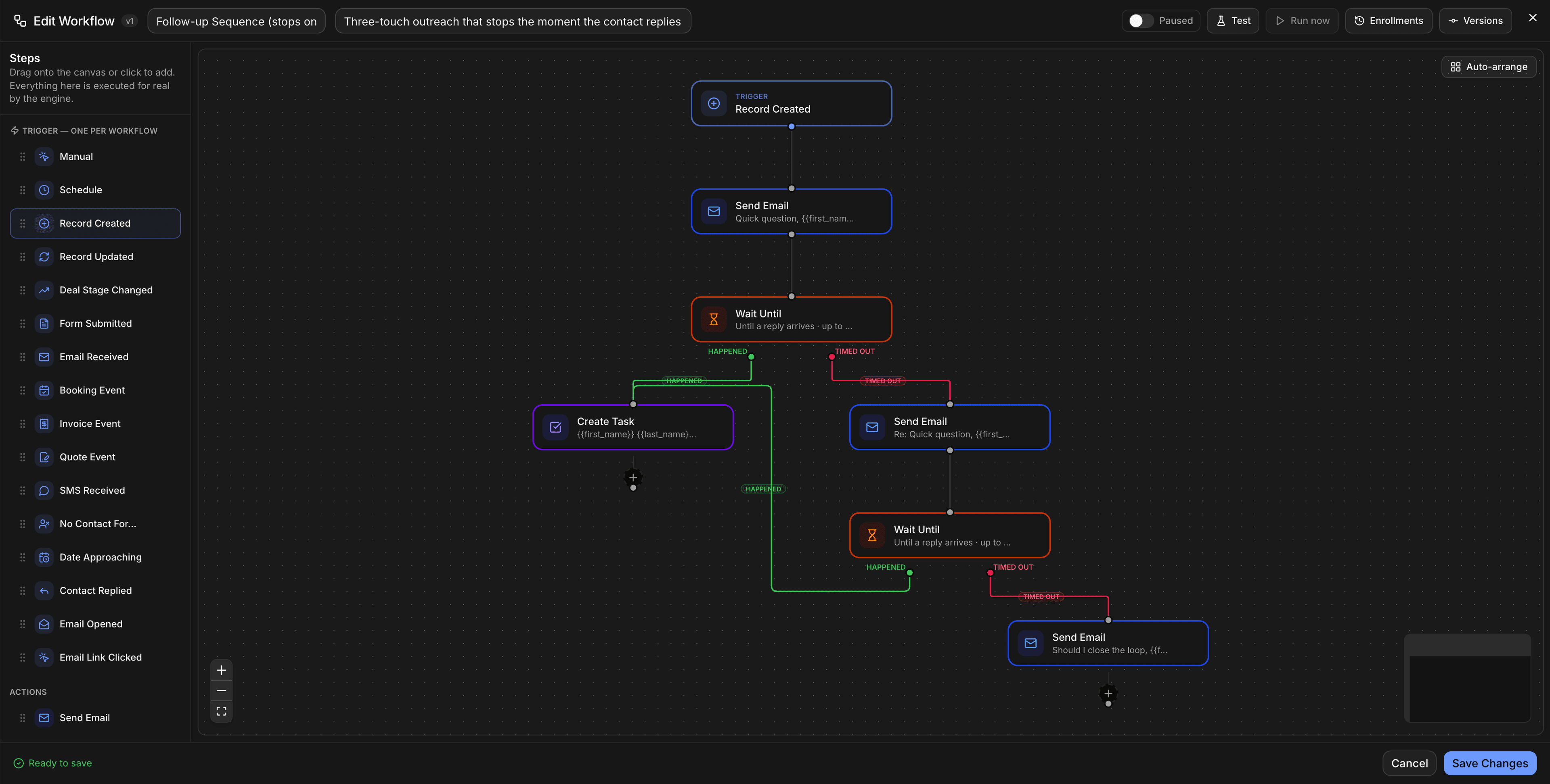
Email, SMS, tasks, activities and outbound webhooks are all steps in the built-in workflow builder; Make earns its place when the automation reaches systems the CRM does not connect to natively.
Make and AutomateNexus CRM, answered.
No. AutomateNexus CRM does not publish an app in the Make directory. You connect with the Webhooks module's custom webhook for triggers and the HTTP module for actions, which takes a webhook URL and an API key rather than a one-click authorisation, and works on every plan.
Twelve: contact.created, contact.updated, deal.created, deal.updated, deal.stage_changed, customer.created, customer.updated, company.created, company.updated, task.created, task.updated and form.submitted. You choose them per webhook under Settings → Integrations → Developer → Webhooks, and a Test button sends a real, signed webhook.test delivery so Make can learn the payload shape.
Through the REST API with an API key from Settings → Integrations → Developer → API keys: POST or PUT to your API base URL plus /contacts, /deals, /tasks and the other resources, JSON body, Authorization: Bearer header. For simple inserts the quick-send URL takes an event_type and a data object with the key in an x-api-key header.
Endpoints must be HTTPS. Each delivery is signed with HMAC-SHA256 over the timestamp and raw body (the X-Webhook-Signature header, t= and v1=), the secret is generated server-side and shown once, and you can rotate it at any time; the old secret stops working immediately.
The delivery is retried after 1, 5 and 30 minutes (four attempts, 10-second timeout each). The webhook row shows consecutive failures and the time of the last success and failure, and the delivery log keeps 50 deliveries for 30 days.
Usually not. The built-in workflow builder and booking workflows send email and SMS, create tasks, log activities and call webhooks on their own; reach for Make when the other end of the automation lives outside the CRM.
Put Make to work.
Start your 7-day free trial and connect Make on day one. No credit card, no middleware.