Payments
PayPal + AutomateNexus CRM
Accept PayPal on invoices and bookings.
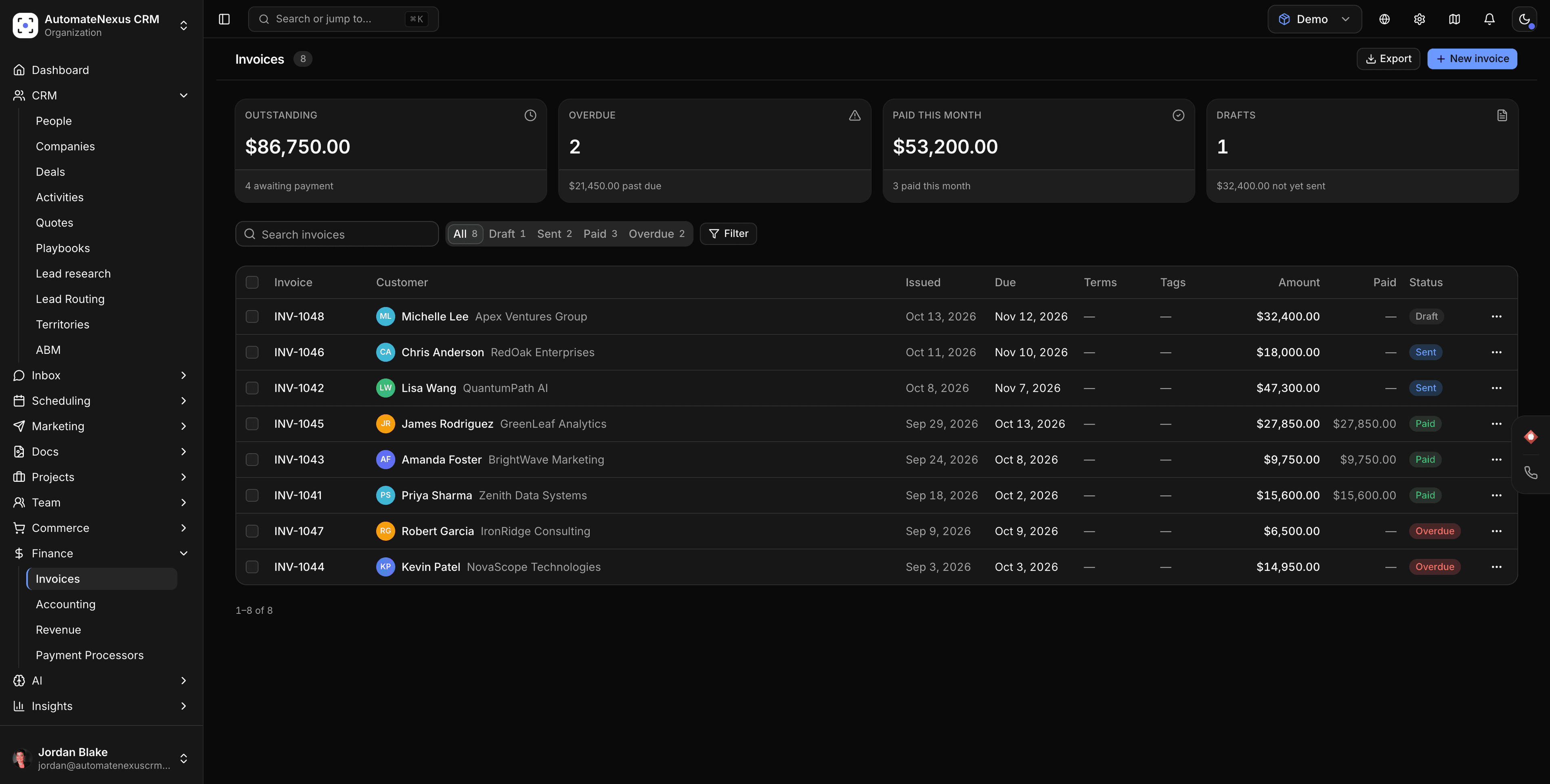
PayPal, wired into your pipeline.
- 01
PayPal on invoices
Customers who prefer PayPal pay from the same invoice link, and the invoice status updates on the record.
- 02
Deposits at booking
Take a PayPal deposit when someone books through your booking page.
- 03
Multi-processor by design
Run PayPal alongside Stripe and Square and route by invoice or by client.
Connected in three steps.
- Step 01
Connect PayPal
Settings → Payment processors. Credentials are encrypted at rest.
- Step 02
Enable it on invoices or bookings
Choose where PayPal appears as a payment option.
- Step 03
Get paid
Payment status writes back to the invoice and the customer record.
Built to be left alone.
Two-way sync
Changes on either side reconcile in real time. No stale records, no duplicates.
Webhooks
PayPal events can trigger agents and automations the moment they fire.
No code
Authorize, map, and go live in minutes — no developer required.
Put PayPal to work.
Start your 7-day free trial and connect PayPal on day one. No credit card, no middleware.