Digital business cards
Meet someone. Keep them as a lead.
A card for everyone on your team, shared by a scan, a tap or a link. Whoever sends their details back lands in your CRM as a lead, with a follow-up waiting for your yes.
- cards each
- 5
- card styles
- 3
- apps to install
- 0
- a month, all in
- $49
 Daniel Hart sent his detailsAdded as your lead · Design Leaders Meetup
From a handshake to a lead, in four taps.
Paper cards end up in a drawer. These end up in your CRM, with where you met and a follow-up already written.
Scan to save my details
They scan your code
Full screen on your phone, on a badge, or a tap on an NFC card.

Elena Marsh
Alder & Wren
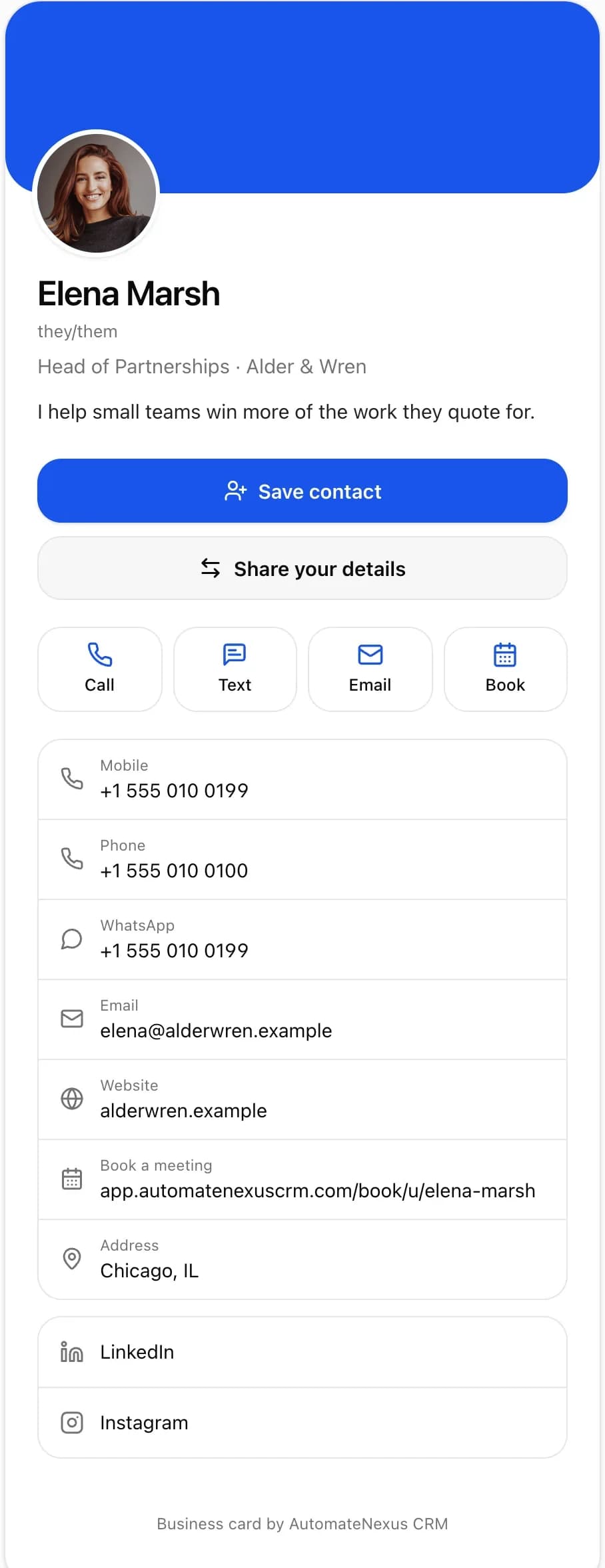
Save contactThey save you
Your details and photo go straight into their contacts. No app.
- Daniel Hartdaniel@hartlowe.exampleHart & Lowe ArchitectsSend my details
They send theirs back
One tap, and their name, email and company come to you.

Daniel Hart
New lead · Design Leaders Meetup
Follow-up drafted
Great to meet you at the meetup, Daniel. Here is the…
Approve and sendA lead, followed up
In your CRM with where you met. A follow-up waits for your yes.
Every way people meet you.
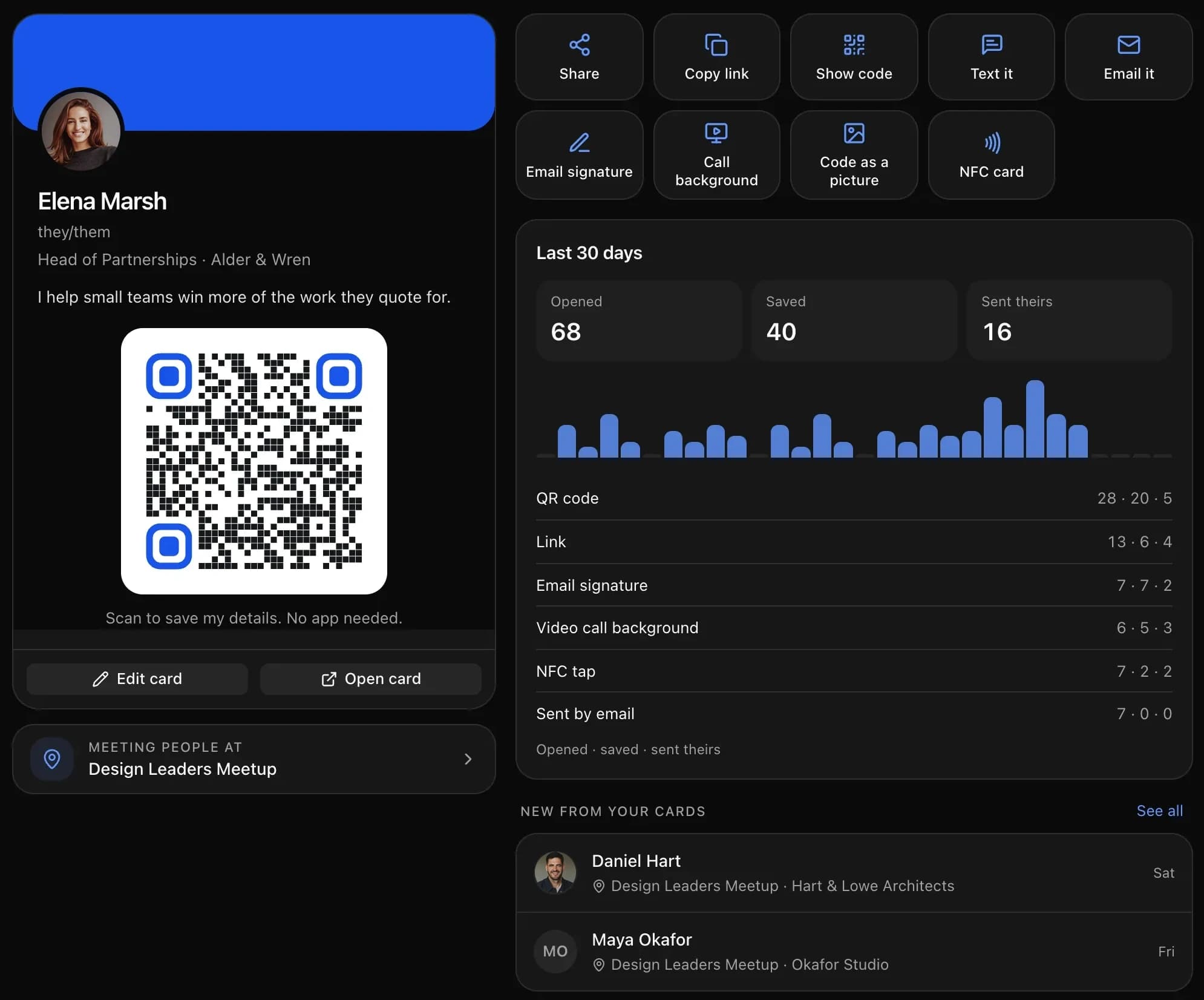
The same card, wherever you are, and the numbers for each: opened, saved and details sent back.
QR code
Full screen for a phone to scan, or saved as a picture for a badge or a slide.
Link, text and email
Send the card's link from your phone in a second.
Email signature
A rich signature for your mail app, and the same card in the CRM's own email.
Video-call background
Your card and its code on the background of your calls.
NFC
Write it to an NFC card or sticker, and people tap their phone to open it.
Link previews
Shared in WhatsApp, iMessage, LinkedIn or Slack, the link shows your card.
Your card, in the look that fits the room.
Classic for every day, a cover picture for your brand, dark for evenings and events. On the visitor's page, Save contact stays at the foot of the screen.

Elena Marsh
Head of Partnerships · Alder & Wren

Elena Marsh
Head of Partnerships · Alder & Wren
Elena Marsh
Head of Partnerships · Alder & Wren
Every card on brand, on one page.
No reprints when someone joins, changes role or leaves.
- A card for everyone
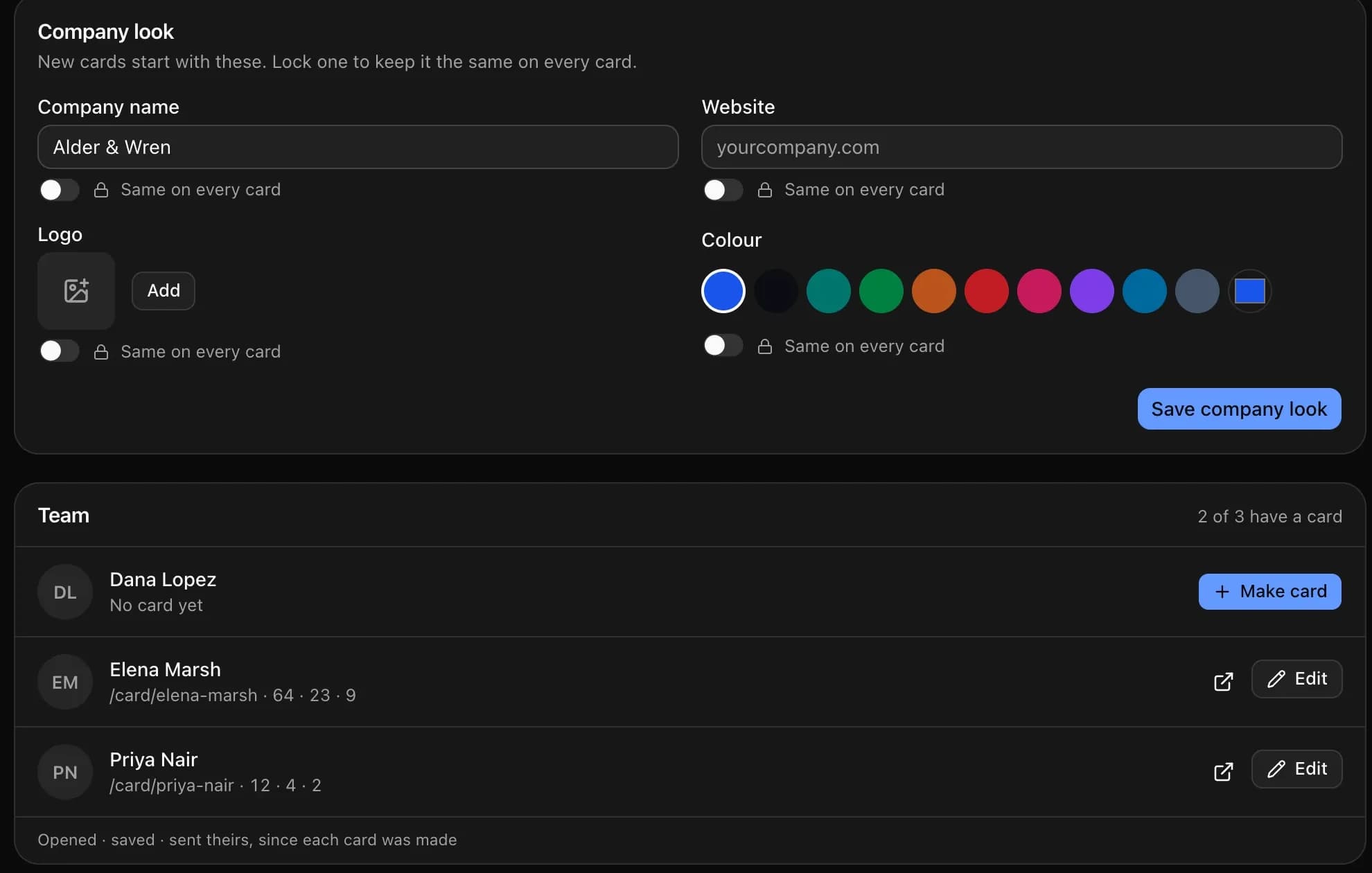
- The Team tab shows everyone's card and makes one in a tap for whoever has none.
- The company look
- Set the company name, logo, colour and website once, and lock any of them so every card stays on brand.
- Up to five cards each
- A card per role, brand or event, each with its own link and numbers.
- Three styles
- Classic with a band of colour, a cover photo across the top, or dark with a glow for evenings and events.
The leads a card brings in are scored and followed up like any other: the AI SDR qualifies them, and your booking page is one tap from the card.
A card that does the follow-up.
| Paper cards or a separate card app | Business cards in AutomateNexus CRM | |
|---|---|---|
| The people you meet | A stack of cards, or a list in another app | Leads in your CRM, owned by you, with where you met |
| Following up | Up to you, later | A follow-up drafted for your yes, and your card emailed to them |
| Your team | Cards ordered and reprinted | Everyone's card on one page, on brand, changed in a moment |
| What works | Nothing to measure | Opens, saves and details sent back, by day and by how people came |
Questions about digital business cards
A digital business card is a page with your details that people open by scanning a QR code, tapping a link or an NFC card. They save you to their phone's contacts without an app. In AutomateNexus CRM the card is part of your CRM, so the people who send their details back become leads.
Yes. Business cards come with AutomateNexus CRM, from $49 a month, for everyone on the team.
No. The card opens in any phone's browser. Saving you adds your details, photo included, to their contacts, and sending theirs back takes one tap.
They are added to your CRM as a lead you own, with the event you were meeting people at. You are notified, a follow-up is drafted for you to approve, and they get your card by email. Your New lead workflows and lead alerts run as for any other lead.
Yes. Scan a paper card with your phone and the person is added, with where you met and a picture of the card in their files.
Pairs well with the rest of the platform.
- 01AI Appointment Setter & BookingMeetings on autopilot.Share booking links, sync calendars two ways, and let the Scheduler agent own your calendar — routing, reminders, and zero double-bookings.
- 02AI SDR AgentAn always-on sales development rep that never drops a lead.The SDR agent qualifies every new lead against the rules you set, enrolls the good ones in your sequences, watches for replies, and hands hot conversations to a human with the context attached.
- 03Email Marketing & SequencesCampaigns and follow-up sequences, on the customer record.Send campaigns and multi-step sales sequences through your own email provider (Mailgun, Postmark, Google Workspace and more) or hosted sending as an add-on, with open and click tracking on your own domain and every reply landing back on the contact.
Meet someone. Keep them.
Start your 7-day free trial. No credit card. Make your card in one tap and share it today.