Deal rooms
One page for every buyer. Signed in the room.
Send each buyer one page for the deal instead of another thread of attachments: the plan you both follow, the proposal, the quote to sign and a time to talk. Then watch who comes in.
- complete looks
- 6
- kinds of section
- 10
- templates
- 6
- a month, all in
- $49
 Jordan Lee is in the roomReading Your quote · 4 min
Your buyer is digging through eleven emails. Send them one link.
A deal room holds everything for the deal on one page. Everyone on their side gets their own link, and every part of it lives on the deal in your CRM.
Jordan’s inbox, today
11 emails · 4 files · 3 links
Maya Chen
Proposal for the re-roof (v3 final).pdf
Proposal_v3_FINAL.pdfMaya Chen
Re: Quote attached, phase one
Quote_Q-1042.pdfMarcus, Finance
Fwd: Re: what does phase two cost?
Maya Chen
Booking link for a call next week
Priya, IT
Re: Re: who comes on site?
Maya Chen
Just checking in on the quote
- One next step
- Sign the quote, tick their step or book a time. On a phone it stays at the foot of the screen.
- A plan you both tick off
- Dated steps for both sides, with the buyer's own added from their side.
- Documents read in the page
- Proposals open page by page. You see which pages, and for how long.
- Their whole buying group
- The buyer invites a colleague, who gets their own link. You hear who brought whom.
Build it on the page. Not in a form.
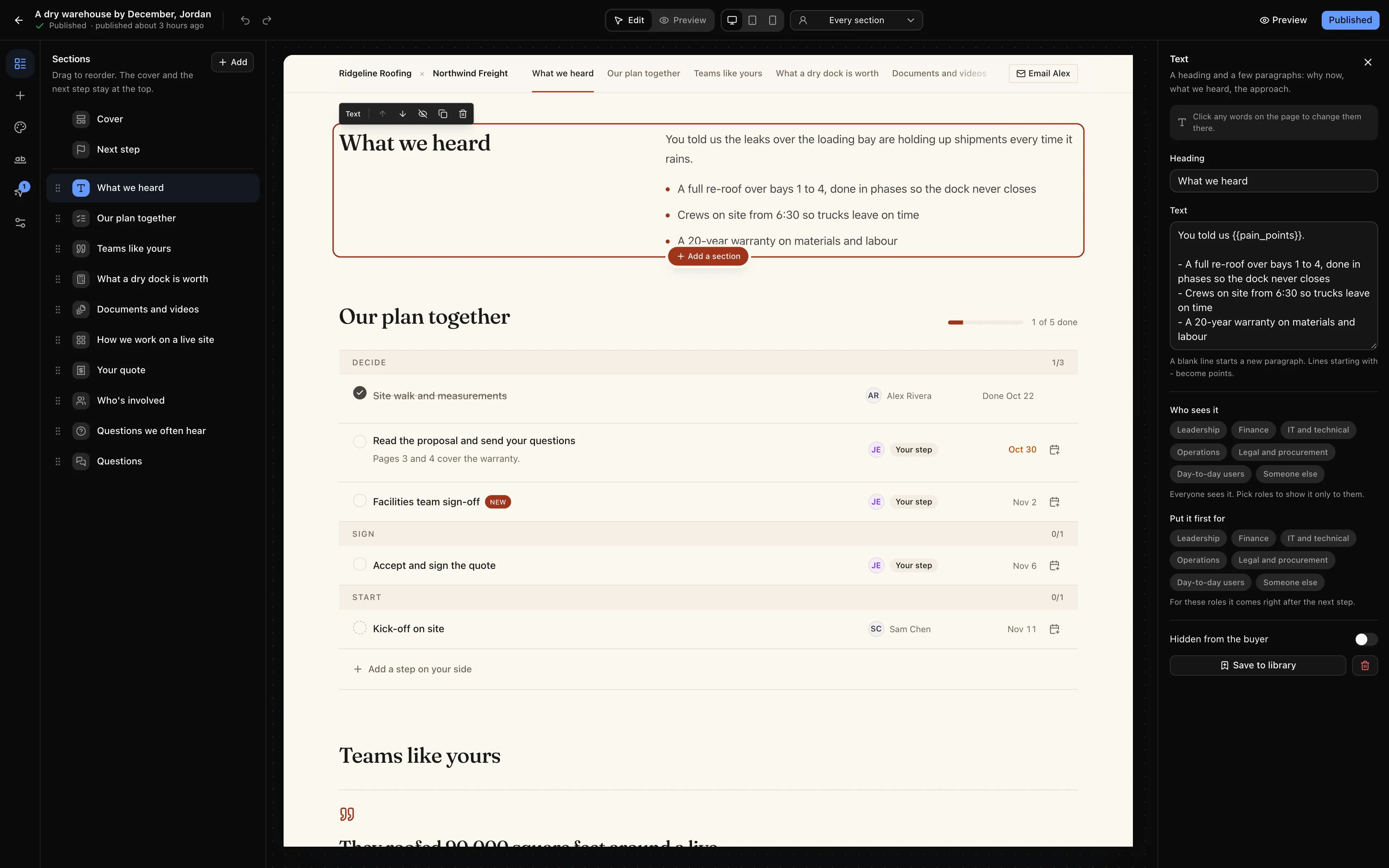
The real buyer page on a canvas. Point at a number to see what each part does.
- 1
Every section, in order
Drag sections to put them in order. The cover and the next step stay at the top.
- 2
Change the words where they are
Click any words on the canvas and type. It is the real buyer page, not a form.
- 3
Ten kinds of section
Text, video, questions, customer stories, a savings calculator, options side by side, logos, embeds, a button, points.
- 4
Desktop, tablet or phone
See the page at each width, and preview it exactly as the buyer will.
- 5
Who sees it
Show a section only to some roles, or put it first for them.
- 6
Draft until you publish
Everything saves as a draft. Each publish is kept as a version you can bring back.
Same room. Six complete designs.
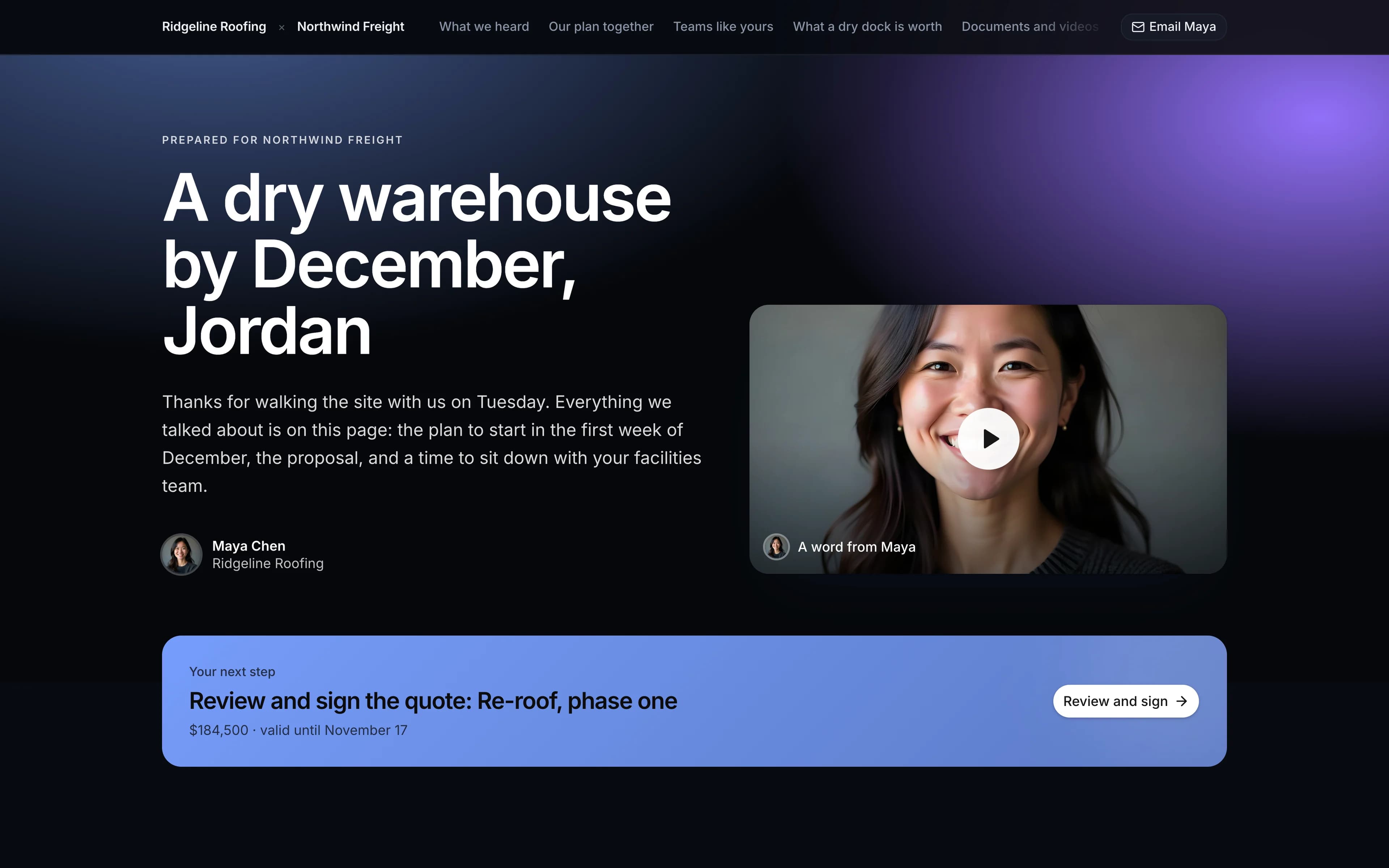
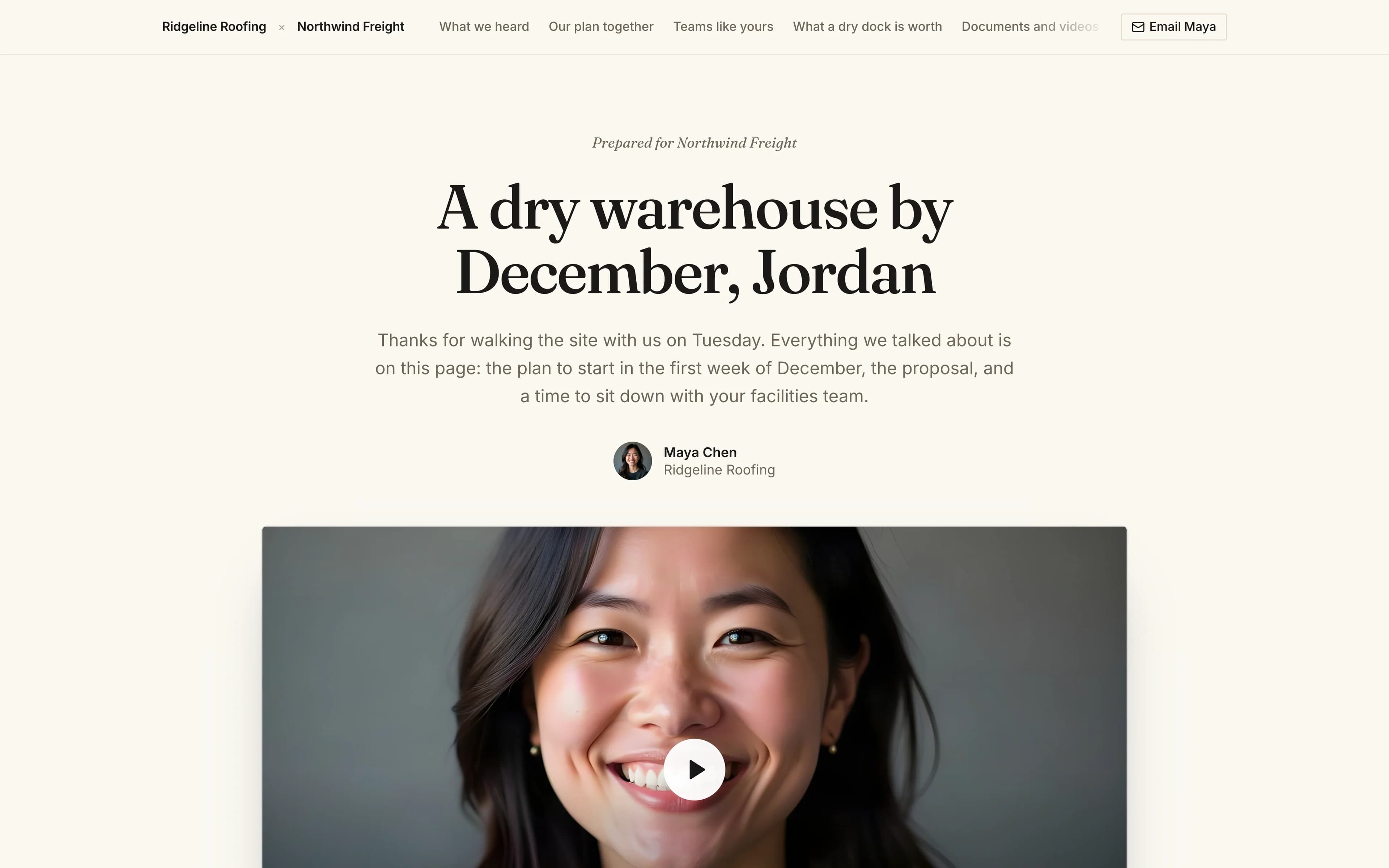
Stone, Editorial, Midnight, Bold, Minimal and Aurora, each with its own type, cover and surfaces. Pick one, then change the colour, corners and background, and show the buyer's logo beside yours. Try it.
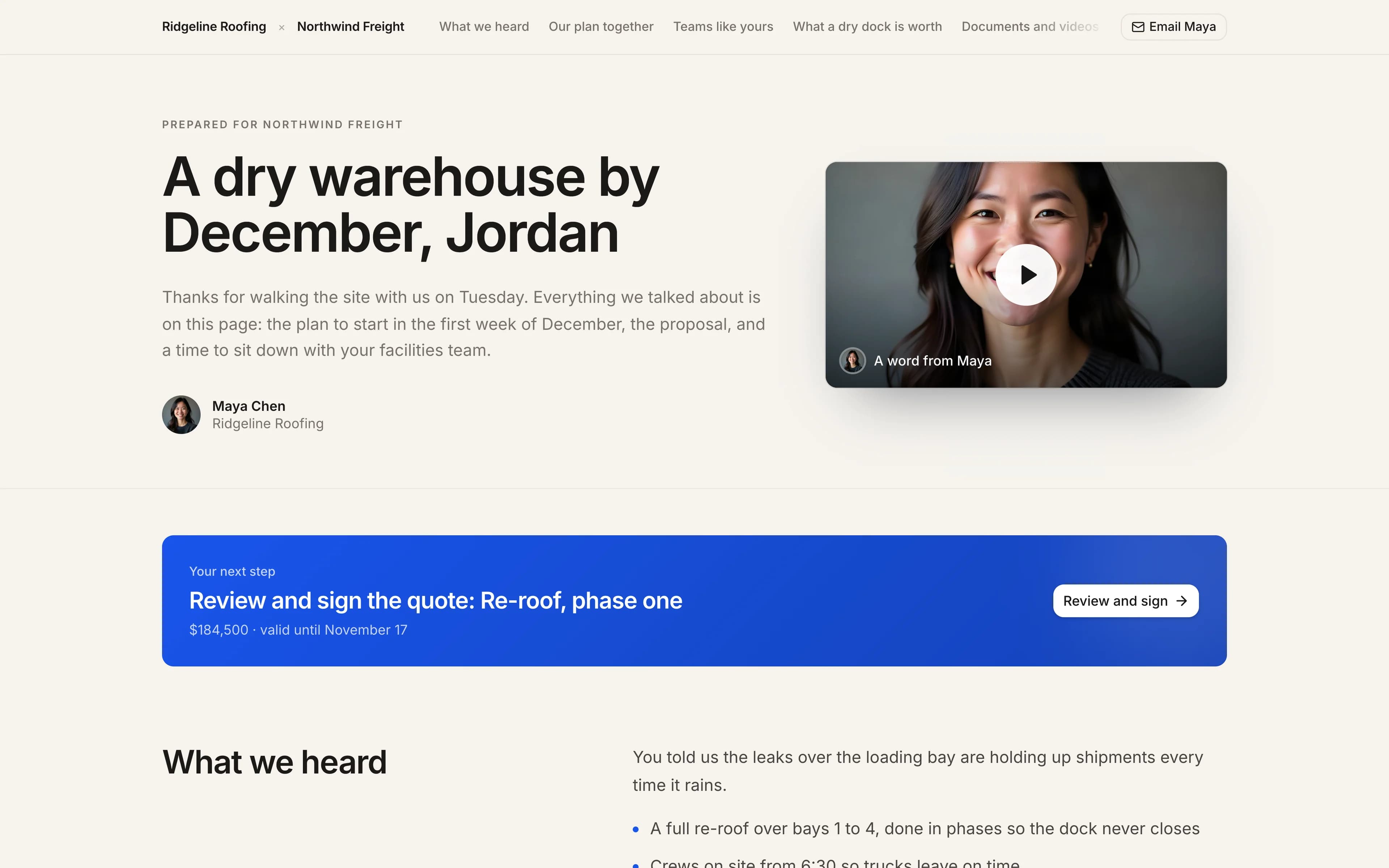
Editorial. A serif, set like a magazine.
Colour
Prepared for Northwind Freight
A dry warehouse by December, Jordan
Everything we discussed, with the quote to sign right on this page when you are ready.

 A word from Maya
Your next step
Review and sign the quote: Re-roof, phase one
$184,500 · valid until November 17
Our plan together
1 of 3 done- Site walk and measurements
- Read the proposal and send your questions
- Accept and sign the quote
It researches the buyer. Then it writes the room.
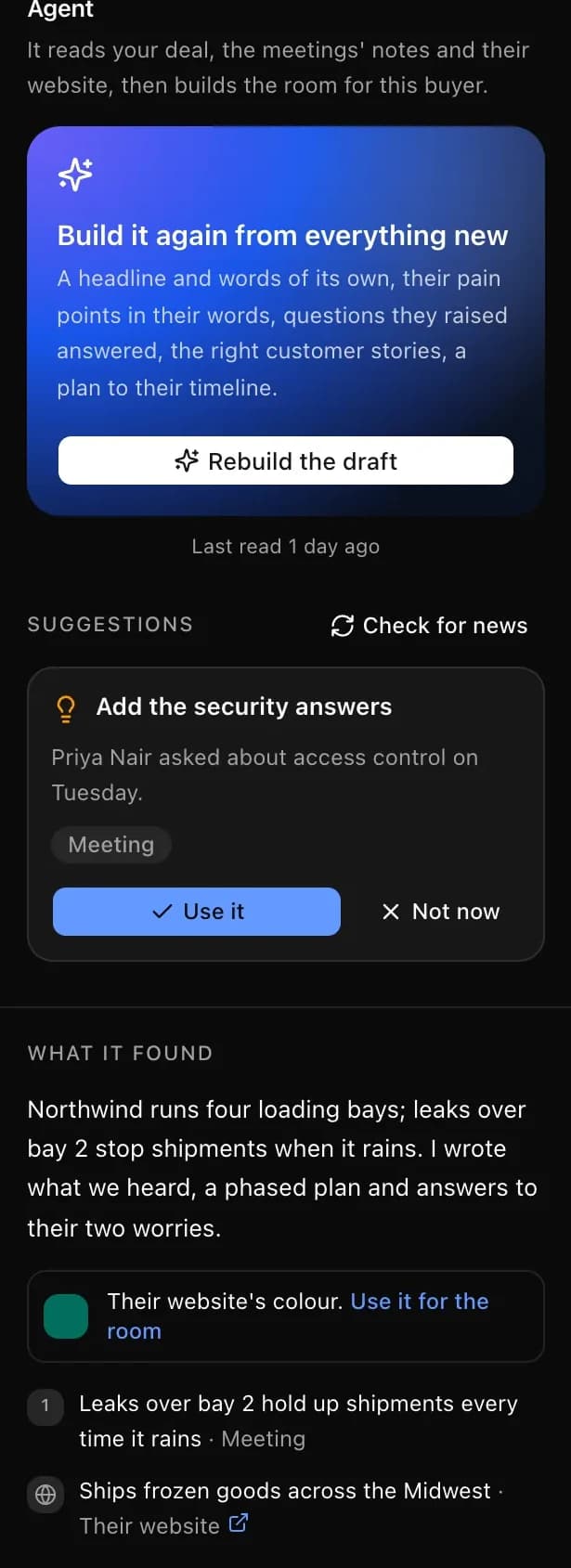
Press Build the room. The agent reads everything the CRM knows and what the buyer says about themselves, then drafts a room for that one buyer, with its sources.
Read · The deal and its activity
Re-roof, phase one · $184,500 · decision by Nov 6
Read · Two meetings' notes
“The leaks over bay 2 hold up shipments when it rains”
Read · The AI SDR's research
Four loading bays, ships frozen goods across the Midwest
Read · Their website
Their brand colour, and their own name for the depot
Read · Buying signals
Hiring three operations managers this month
Drafted the room
- A headline and welcome for Jordan
- Their pain points, in their words
- Answers to the two questions they raised
- Two customer stories from your library
- A plan to their December deadline
Every fact is listed with where it came from. Nothing reaches the buyer until you publish.
A CFO and an IT lead should not read the same page.
Each visitor says their role on the way in, and sees the room made for them. Pick a role to see it change.
View as
- A page for each role
- Show a section only to finance, IT, leadership or legal, or put it first for them. Each visitor says their role on the way in.
- Their own words
- {{first_name}}, {{company}}, {{pain_points}} fill themselves in for whoever is looking, in any text on the page.
- A video for each person
- One video section, a different video for each person in the buyer's team.
- Their language
- The page's buttons and labels follow each visitor's language, in any of the eleven the app speaks.
Ridgeline Roofing × Northwind Freight
Viewing as Finance0:48Welcome, Marcus
A video for Marcus, Finance director, from Maya
- First for Finance
What a dry dock is worth
A savings calculator you can change
What we heard
The leaks over the loading bay, in your words
Teams like yours
Two customer stories
Contract and insurance
Terms, warranty and certificates
Your quote
Re-roof, phase one · $184,500
Our plan together
Steps for both sides, dated
Know which deals are moving. Before you ask.
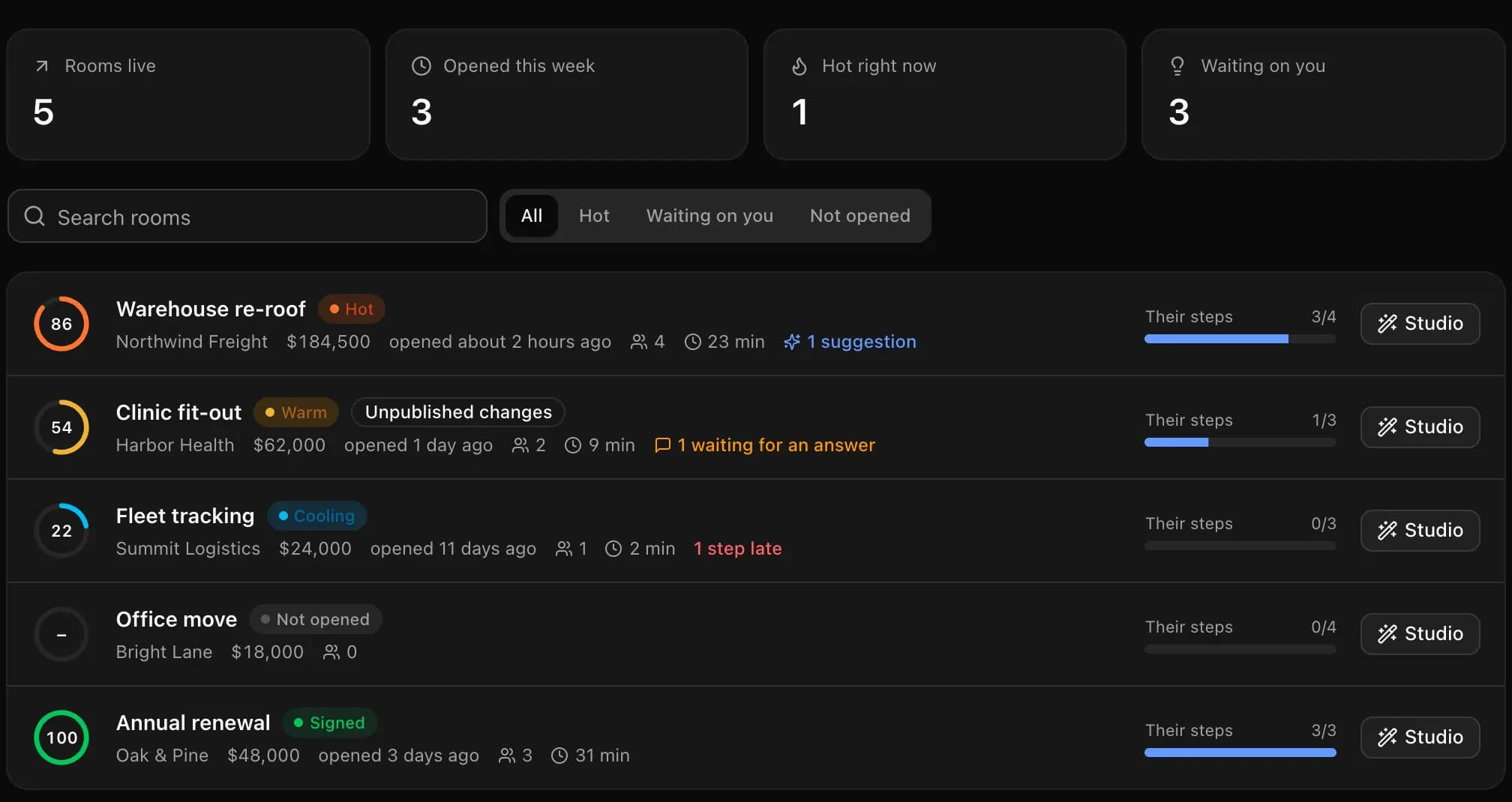
Every room gets a score from 0 to 100 and the reasons for it. While a buyer is reading, the Deal agent holds its follow-ups; a question left waiting a day becomes a task for the deal's owner.
- +Opened today
- +By 4 people at Northwind
- +23 minutes read
- +The quote seen, twice
- +3 of their 4 steps done
- −A question waiting since yesterday
Start from a whole room.
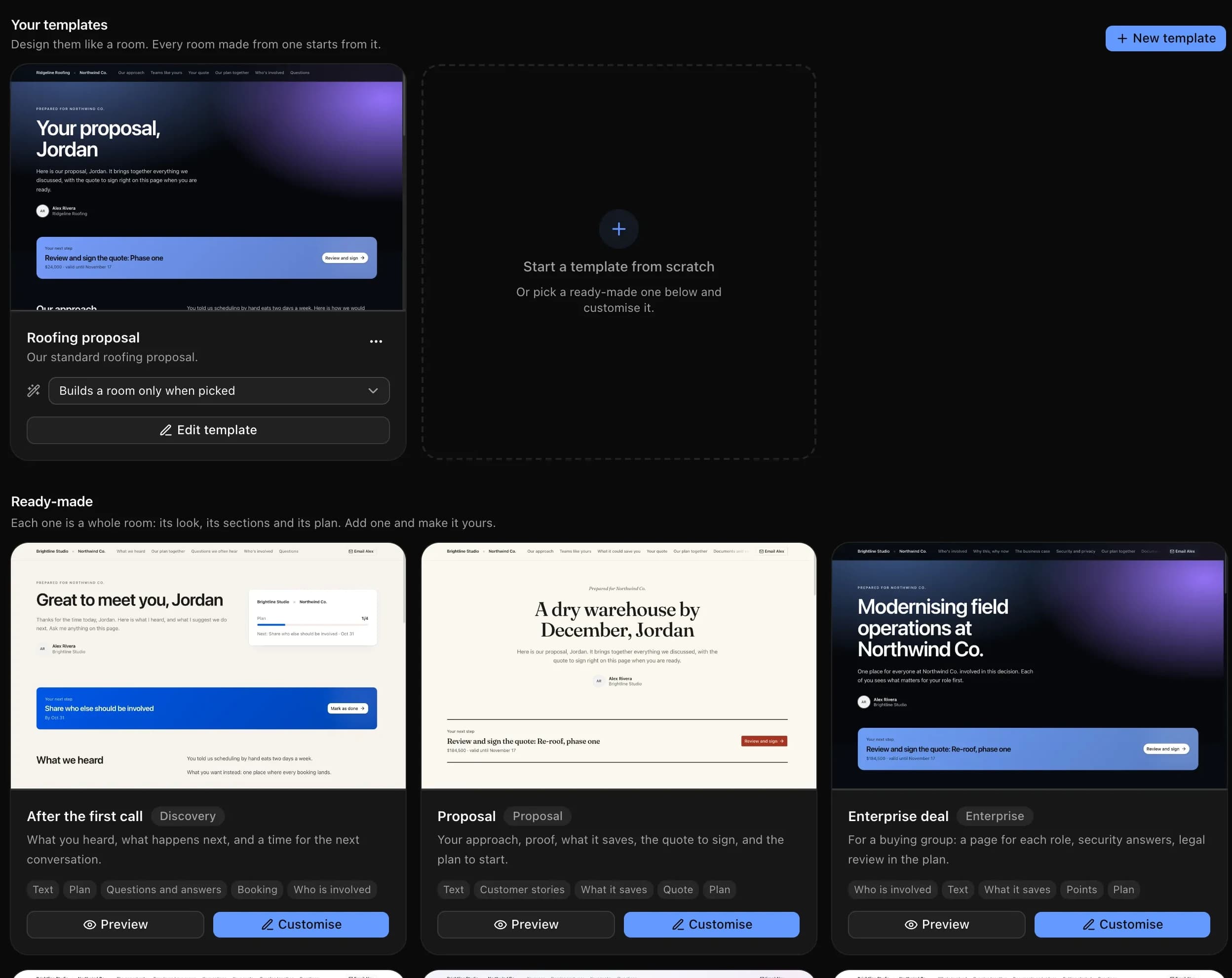
Each template carries its look, sections, words and plan. Preview any of them full size, design your own in its own studio, or set one to build a room by itself when a deal reaches a stage.
- After the first callWhat you heard, what happens next, a time to talk
- ProposalApproach, proof, savings, the quote and the plan
- Enterprise dealA page for each role, security answers, legal review
- Agency pitchYour work, options side by side, a clear yes
- RenewalWhat they achieved, what is next, the renewal to sign
- Welcome aboardKick-off, who does what, the first month planned
From a deal to a page they act on.
- Step 01
Make the room from the deal
One click on the deal, or a template that builds a room by itself when a deal reaches a stage. The quote, the plan and the deal's files are already in it.
- Step 02
Let the agent research the buyer and draft it
It reads the deal, its activity, the meeting notes, the buyer's website and buying signals, then writes the headline, the welcome, their pain points in their own words and answers to the questions they raised. Every fact shows where it came from.
- Step 03
Make it yours in the studio
Click any words on the page to change them, drag sections into order, pick a look, preview it on a phone. Nothing reaches the buyer until you publish.
- Step 04
Send it and watch the deal move
Each person gets their own link by email in your business's name. You see who opened it, what they read, which pages of the proposal, and when someone is in the room right now.
The room works with the rest of the CRM: quotes are signed in it, booking pages sit inside it, and the AI SDR’s research feeds the agent that drafts it.
One page instead of a thread of attachments.
| Email attachments and links | A deal room in AutomateNexus CRM | |
|---|---|---|
| What the buyer gets | A thread of attachments, a quote link and a calendar link | One page with the plan, the proposal, the quote to sign and a time to talk |
| What you know | Whether an email was opened | Who opened the room, what they read, which pages, and who is in it now |
| The rest of their team | Forwarded emails you never see | Their own links, invited by the buyer, each one known to you |
| Making it | Copy and paste for every deal | A template, or an agent that researches the buyer and drafts it |
| Where it lives | Another tool beside the CRM | On the deal, in the same CRM |
Open a real deal room.
Open the deal room we send our own buyers: the film, how getting started works, plans and prices, and a calendar to book your demo. It is a deal room built in AutomateNexus CRM, the same page you will send your customers.
Deal room · AutomateNexus CRM
Your next CRM, in one page.
- The 3-minute filmThe CRM, start to finish
- Getting started, step by stepFrom sign-up to your first deal
- Plans and pricesFlat team pricing, no per-seat AI fee
- Book your demo30 minutes with ErinNext step
Questions about deal rooms
A deal room (also called a digital sales room) is one web page a seller shares with a buyer for one deal. It brings together the plan both sides follow, the proposal and documents, the quote to sign and a way to book a call, so the buyer does not have to dig through email. In AutomateNexus CRM a deal room is part of the deal itself.
Yes. Deal rooms come with AutomateNexus CRM, from $49 a month, with nothing extra to buy. The agent that researches the buyer uses your own AI key or the same AI credits as the rest of the CRM.
It reads what the CRM knows about the deal (its fields, activity, meeting notes and the research the AI SDR already gathered), the buyer's own website and buying signals, then drafts the room: a headline, a welcome, their pain points in their words, answers to questions they raised, customer stories from your library and a plan to their timeline. Each fact is listed with where it came from, and nothing reaches the buyer until you publish.
Yes. A section can be shown only to some roles, or put first for them, and a video section can hold a different video for each person. Each visitor sees only what is meant for them.
No. A buyer opens the room from a link. You choose whether they say who they are first, whether only their company's email addresses may come in, when the link closes and whether they agree to a confidentiality note.
Yes. The room carries your logo and colours, and on a white-label account the links are on your own domain.
Pairs well with the rest of the platform.
- 01AccountingQuotes, invoices, and books in one place.Create quotes, send invoices, take payments, and keep your books in sync with QuickBooks — right next to your deals.
- 02AI Appointment Setter & BookingMeetings on autopilot.Share booking links, sync calendars two ways, and let the Scheduler agent own your calendar — routing, reminders, and zero double-bookings.
- 03AI SDR AgentAn always-on sales development rep that never drops a lead.The SDR agent qualifies every new lead against the rules you set, enrolls the good ones in your sequences, watches for replies, and hands hot conversations to a human with the context attached.
Give your next buyer one page.
Start your 7-day free trial. No credit card. Make a room from a deal, or let the agent draft it for you.