The Calendly alternative that keeps going after the booking.
A booking link fills your calendar. AutomateNexus CRM also takes the deposit, makes the Zoom meeting, texts the reminder, moves the deal and drafts the follow-up. Try it below.
Pick a day and a time
Choose a day
Blue days have free times.
New lead
Meeting booked
Won
A working demo with made-up people. Nothing is sent, booked or charged.
Comparing withAutomateNexus CRM
What is the best Calendly alternative?
AutomateNexus CRM is the Calendly alternative for businesses whose bookings start a sale. Booking pages, round robin, deposits through 12 payment processors and text reminders come on every plan, inside a CRM that moves the deal, makes the Zoom meeting and drafts the follow-up, from $49 a month for five people. Calendly charges $10 to $16 a seat a month billed yearly for Standard and Teams, and its Free plan allows one event type without payments or reminders.
Figures checked against Calendly's pricing page and our pricing.
- AutomateNexus CRM
- $49 a month, 5 people
- Calendly
- $10–$16 a seat a month
- 5 people, yearly
- $39 vs $80 (Teams)
- Payments
- 12 processors vs 2
- Round robin
- Every plan vs Teams
- Move from Calendly
- Event types in one import
Calendly books the meeting. Then the rest of the job begins.
Seven legs from a booking to being paid in full. Where Calendly covers a leg, the mark says so; below it, what AutomateNexus CRM does there.
Book
Take payment
Remind
Follow up
Move the deal
Keep in touch
Paid in full
Calendly
Every plan; one event type on Free
Stripe or PayPal, from Standard
Reminders, from Standard
Drafted follow-ups on the Plus plans
Sent to HubSpot or Salesforce
No campaigns or text inbox listed
Invoices, from Standard
AutomateNexus CRM
Booking pages on your real calendar, every plan
Deposits, holds, tax and refunds, through 12 processors
Email and text reminders with no setup
A recap drafted from the meeting, sent on your yes
The Deal agent moves it when the meeting is booked
Email campaigns, texts and WhatsApp in one inbox
The balance invoiced on its own, due on the day
1Book
Calendly: Every plan; one event type on FreeBooking pages on your real calendar, every plan2Take payment
Calendly: Stripe or PayPal, from StandardDeposits, holds, tax and refunds, through 12 processors3Remind
Calendly: Reminders, from StandardEmail and text reminders with no setup4Follow up
Calendly: Drafted follow-ups on the Plus plansA recap drafted from the meeting, sent on your yes5Move the deal
Calendly: Sent to HubSpot or SalesforceThe Deal agent moves it when the meeting is booked6Keep in touch
Calendly: No campaigns or text inbox listedEmail campaigns, texts and WhatsApp in one inbox7Paid in full
Calendly: Invoices, from StandardThe balance invoiced on its own, due on the day
- Calendly does this
- On a higher plan
- Handed to another CRM
- Not listed
Seats times Calendly, plus everything beside it.
Set your team, your Calendly plan and the tools you pay for next to it. Calendly's prices are from its pricing page on October 29, 2026.
People who take bookings
Calendly charges each one a seat
Your Calendly plan
Tools you would replace too
Each tool's entry plan billed monthly, as listed on its own pricing page on October 20, 2026.
Calendly and the rest, a month
$211
- Calendly Standard · $10 × 4 seats$40
- Pipedrive Lite, billed monthly · A CRM, $24 × 4$96
- HoneyBook Starter, billed monthly · Invoices and a client portal$36
- Typeform Basic, billed monthly · Forms$39
AutomateNexus CRM Starter, a month
$39
One price for up to 5 people: booking pages, round robin, deposits and text reminders, with the CRM, invoices and forms they feed. AI on your own key, or credits at $5 a month per 5 million tokens.
The difference
$172 a month · $2,064 a year
The booking side, set up the way you work.
Event types, availability, round robin and payments live under Scheduling, Booking, beside the people they book.
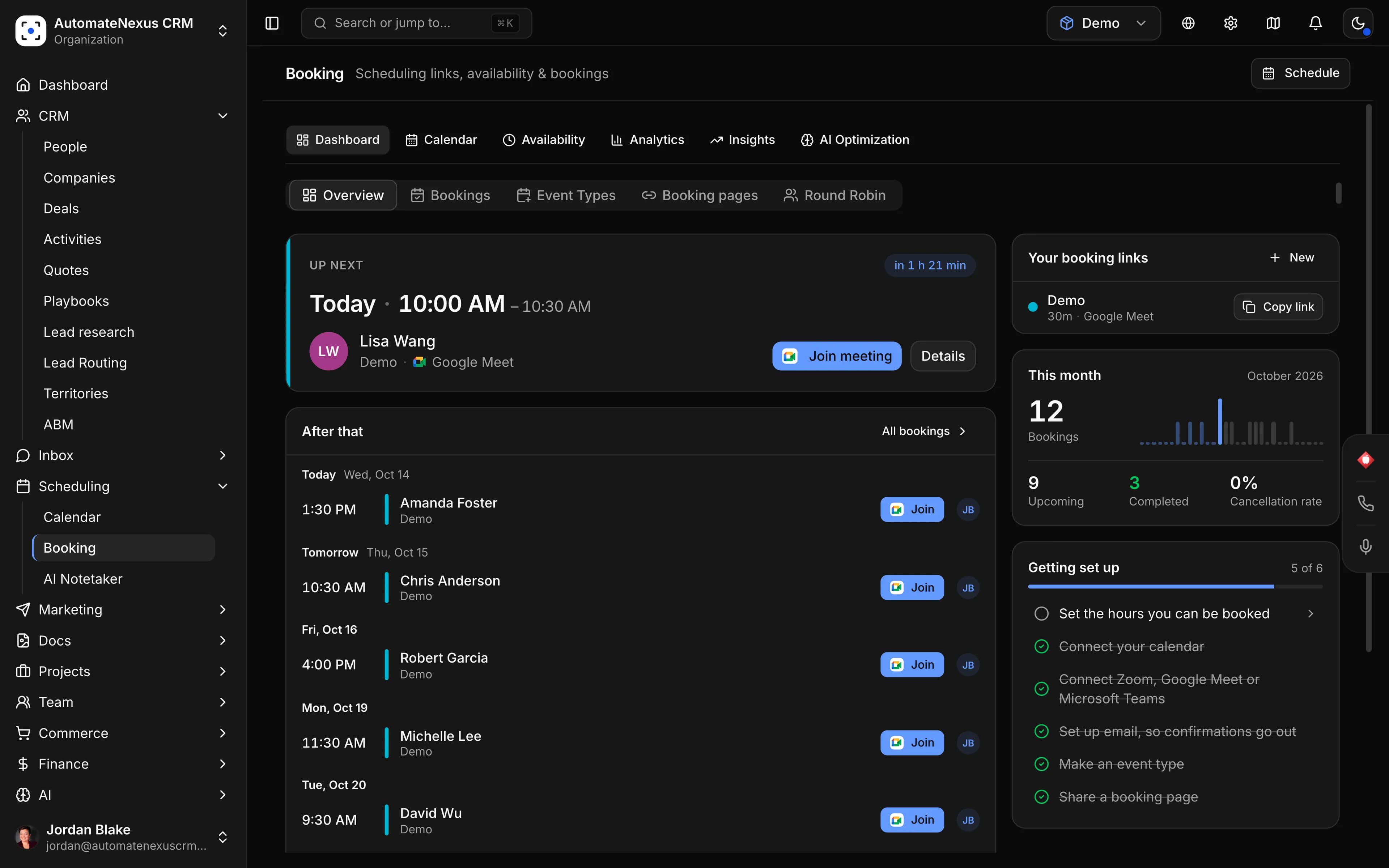
- Meeting lengths, with buffers up to an hour
- 15 min – 4 h
- How long a time is held while it is paid
- 30 min – 24 h
- A deposit instead of the full price; the rest invoiced
- % or $
- Payment processors, from Stripe to a Wise bank transfer
- 12
- Video tools: Zoom, Google Meet, Microsoft Teams, Zoho Meeting
- 4
- Google or Outlook calendar sync, so nothing double-books
- 2-way
Meeting lengths, with buffers up to an hour
How long a time is held while it is paid
A deposit instead of the full price; the rest invoiced
Payment processors, from Stripe to a Wise bank transfer
Video tools: Zoom, Google Meet, Microsoft Teams, Zoho Meeting
Google or Outlook calendar sync, so nothing double-books
Paid the way your customers pay
Take a deposit or the full price, add tax, choose the refund a guest gets on a cancel. Through Stripe the refund goes back on its own; with another processor you are told how much to refund.
 Stripe
 PayPal
 Square
 Mollie
 Razorpay
 Adyen
 Authorize.Net
 Braintree
 2Checkout
 Worldpay
 Wise
 QuickBooks Payments
Everything on booking is on the booking feature page, and on every plan on pricing.
Bookable everywhere your customers already are.
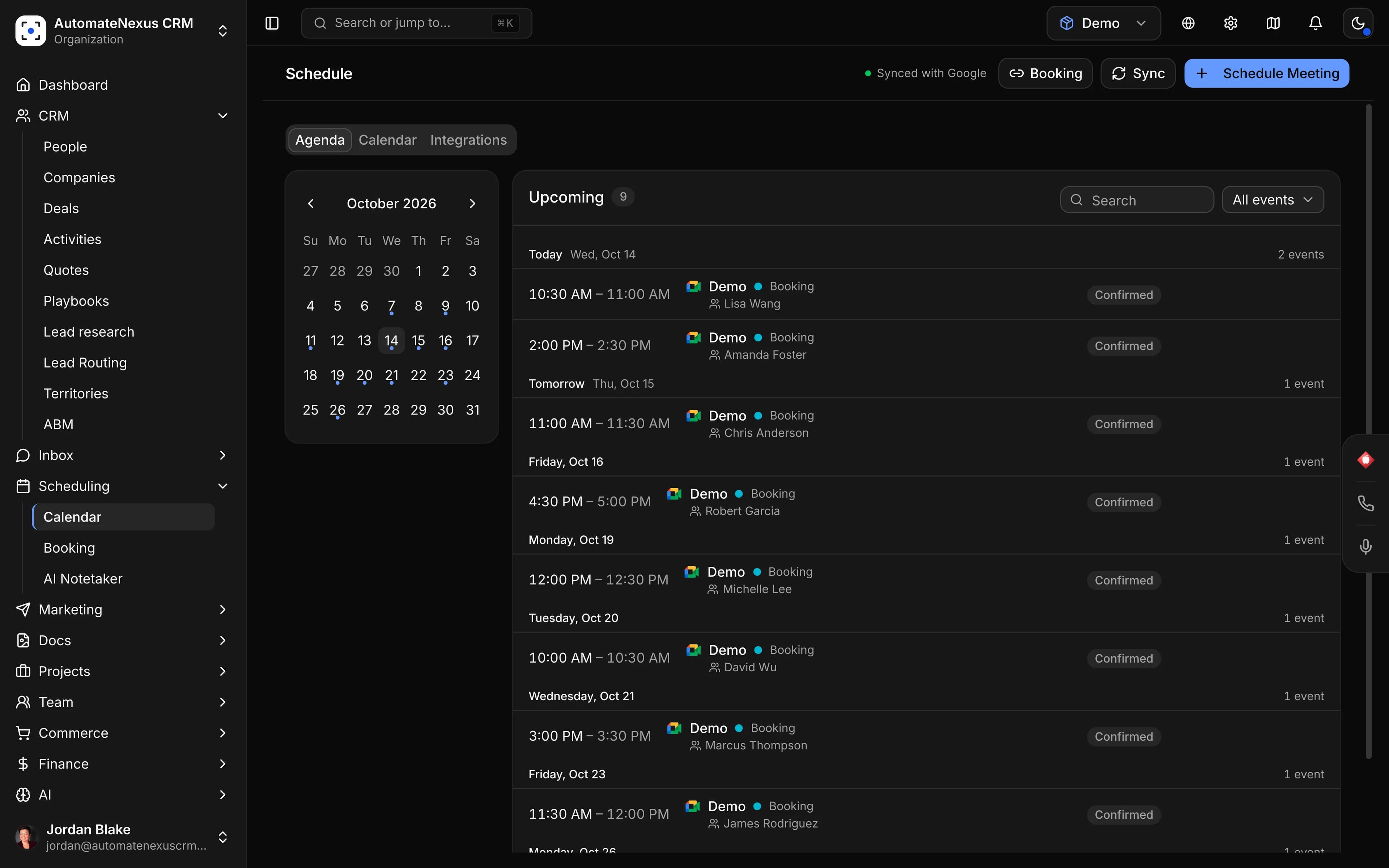
A Calendly link goes where you paste it. Here the same booking page is part of the rest of the product.
Keep Calendly a while, or replace it today.
Replace it
Your event types, in one import.
- 1Make a token in CalendlyIn Calendly, open Integrations, API & Webhooks, and create a personal access token.
- 2Import your event typesIn Scheduling, Booking, Import, paste the token and tick the event types. Name, duration, description, colour and whether each is active come across. The token is used once and never stored.
- 3Share the new linksSet your hours, reminders and payment rules, then swap the links on your website and in your email signature.
Keep it a while
Embed Calendly while you move.
A Calendly page can sit in the website builder's embed block while your team moves over. Bookings made there stay in Calendly and do not reach the CRM, and past and upcoming Calendly bookings are not imported, so let those meetings finish where they were booked.
Calendly and AutomateNexus CRM, honestly.
Including where Calendly is the better pick.
| AutomateNexus CRM | |
|---|---|---|
| Price | Standard $10, Teams $16 a seat a month, billed yearly ($12 and $20 monthly) | From $49 a month for 5 people ($39 billed yearly), not per seat |
| Free plan | Yes: one event type and one calendar | 7-day free trial on Starter, no card |
| Payments at booking | Stripe or PayPal, from Standard | 12 processors, with deposits, holds, tax and refund rules |
| Round robin | From Teams ($16 a seat) | Every plan, with a fairness score |
| Reminders | Automated reminders, from Standard | Email and text with no setup (texts on your own Twilio) |
| Contacts | Contact profiles, notes and lists on every plan | A full CRM: people, companies, deals and a pipeline |
| After the meeting | Recaps and drafted follow-ups with Notetaker, on the Plus plans ($18–$24 a seat yearly) | A recap drafted from the meeting for your yes; AI on your own key or $5 a month per 5M tokens |
| CRM connections | HubSpot from Standard, Salesforce from Teams, Dynamics on Enterprise | It is the CRM; Zapier, Make and a REST API for the rest |
| Where Calendly is better | A free plan, meeting polls, Salesforce routing, and a link nearly every invitee has seen | Less known, and more to set up if you only need a link |
Calendly figures from calendly.com/pricing, checked October 29, 2026. Enterprise starts at $15,000 a year with 50 seats.
Questions about leaving Calendly
If your bookings are the start of a sale, AutomateNexus CRM: booking pages, round robin, deposits through 12 payment processors and text reminders come on every plan, inside a CRM that moves the deal and drafts the follow-up, from $49 a month for five people. If you only need a free link for one kind of meeting, Calendly's own Free plan does that well.
Calendly's pricing page lists Free (one event type and one calendar), Standard at $10 a seat a month billed yearly or $12 monthly, Teams at $16 yearly or $20 monthly, and Plus versions with its Notetaker and Callie at $18 and $24 a seat yearly. Enterprise starts at $15,000 a year with 50 seats. Five people on Teams come to $80 a month billed yearly.
Calendly's Free plan is the free option for one event type and one calendar, without payments or reminders. AutomateNexus CRM is not free: it has a 7-day free trial on Starter with no card, then $49 a month for five people ($39 billed yearly), with booking, the CRM, invoicing and email included.
Not a full one. Calendly keeps contact profiles, notes and lists on every plan, but its pricing page lists no deals or pipeline; it sends meetings to HubSpot from Standard and to Salesforce from Teams. In AutomateNexus CRM the booking lands on the person, and the Deal agent moves their deal when the meeting is booked.
Calendly takes payment through Stripe or PayPal from its Standard plan. AutomateNexus CRM can take a deposit, a percentage or a fixed amount, and invoice the rest for the day of the booking; hold the time for 30 minutes to 24 hours until it is paid; add tax; and set what a guest who cancels gets back. It works through 12 processors, including Stripe, PayPal, Square, Wise and QuickBooks Payments.
Yes, on every plan: round robin across your team with a fairness score, plus group bookings and recurring meetings. Calendly includes round robin from its Teams plan, $16 a seat a month billed yearly.
Yes. Paste a Calendly personal access token under Scheduling, Booking, Import, and choose the event types to bring over: name, duration, description, colour and whether each is active. The token is used once and never stored. Past and upcoming Calendly bookings stay in Calendly, so let those finish there.
More on booking.
- 01Calendly to AutomateNexus CRMThe importWhat comes across, and what stays behind.
- 02Booking and schedulingThe featureBooking pages, the Scheduler agent and reminders.
- 03PricingFour flat plansBooking, the CRM and the AI agents on every plan, from $49 a month.
Calendly is a trademark of its owner. AutomateNexus CRM is not affiliated with Calendly.
Switching from something else?
Every comparison




Let the booking start the sale.
Start your 7-day free trial on Starter. No credit card. Import your Calendly event types and share the new link today.