Finance
Xero + AutomateNexus CRM
Invoices and payments in step with Xero, both ways: payments made in Xero mark the invoice paid within seconds.
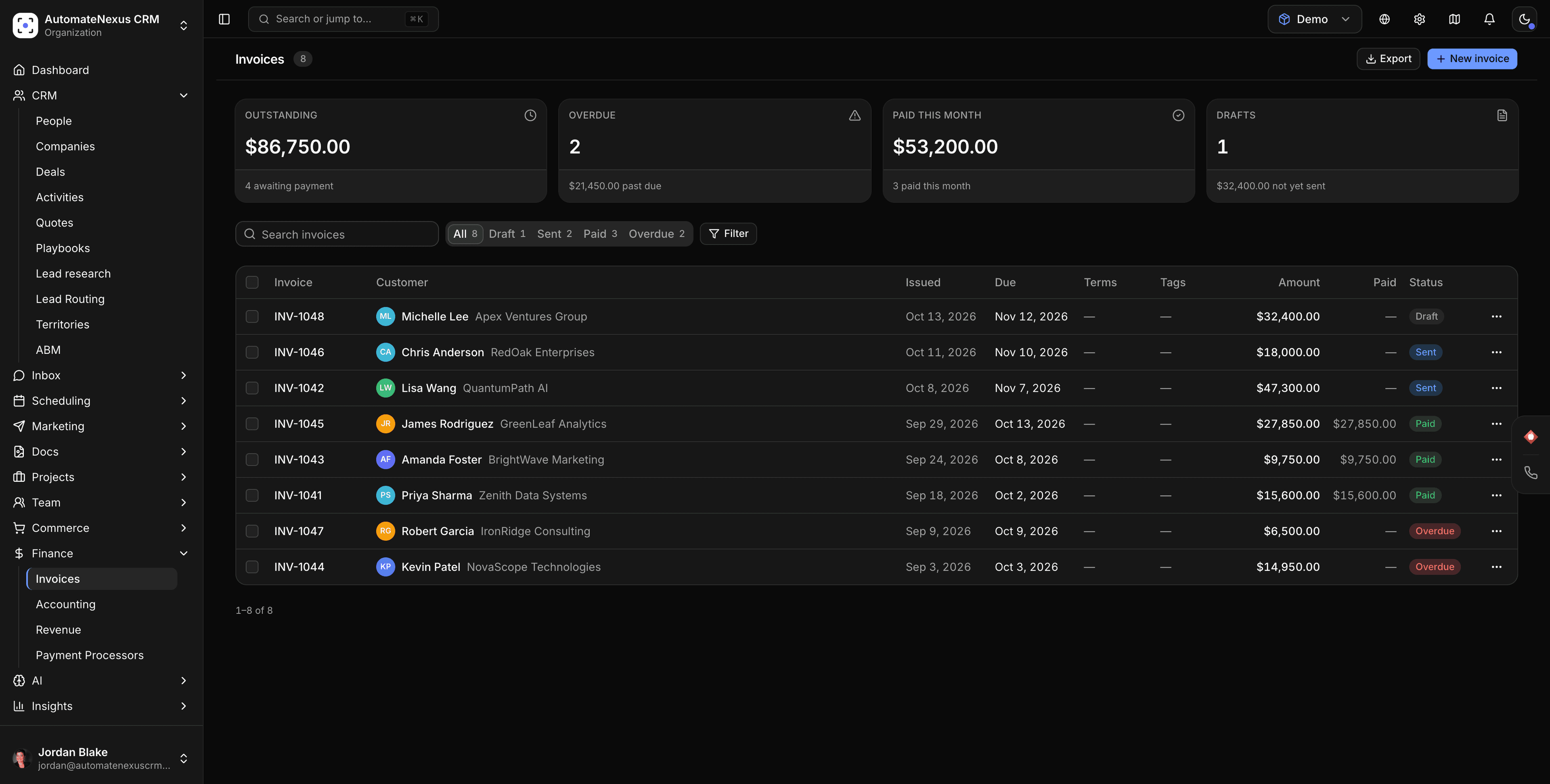
Xero, wired into your pipeline.
- 01
Invoices with everything on them
Every invoice you send goes to Xero with its customer, line items, tax and currency, and stays up to date when it changes. Cancelling an invoice voids it in Xero.
- 02
Payments, both ways
Payments recorded here are applied to their invoice in Xero, and payments recorded in Xero come back and mark the invoice paid.
- 03
Changes in Xero, flagged
If someone edits, voids or deletes an invoice in Xero after it was sent from here, the invoice is flagged so an admin can choose which version stands.
Connected in three steps.
- Step 01
Connect Xero
An organisation admin opens the Xero card next to QuickBooks under Settings → Integrations → Payments, signs in to Xero and ticks the organisation to connect.
- Step 02
Choose what syncs
Switch sending invoices and payments on or off, and pick the account sales post to. Until you choose one, Xero uses its usual sales account.
- Step 03
Send earlier invoices if you want them
Invoices issued before you connect stay out of Xero unless you send them on purpose, so books that already hold them don't get them twice.
Built to be left alone.
Retries you can see
Every change waits in a queue and retries while Xero is busy; anything that fails shows the reason. Sync now sends it straight away.
Nothing lost while disconnected
Changes made while Xero needs reconnecting are kept and go across once you reconnect the same organisation.
Beside QuickBooks
Xero sits next to QuickBooks Online on the same page, so you keep your books in whichever one your accountant uses.
Put Xero to work.
Start your 7-day free trial and connect Xero on day one. No credit card, no middleware.