Third-Party Apps Are Not Available Yet#
AutomateNexus CRM has a Marketplace page built for an app store, but it is not open yet: no apps have been published to it and it has no entry in the sidebar. Opening it shows "No apps published yet". You cannot install third-party apps into AutomateNexus CRM today. Everything you connect is either a built-in integration, configured on the Integrations page described below, or something you build yourself with webhooks, the REST API or MCP.
The Integrations Page#
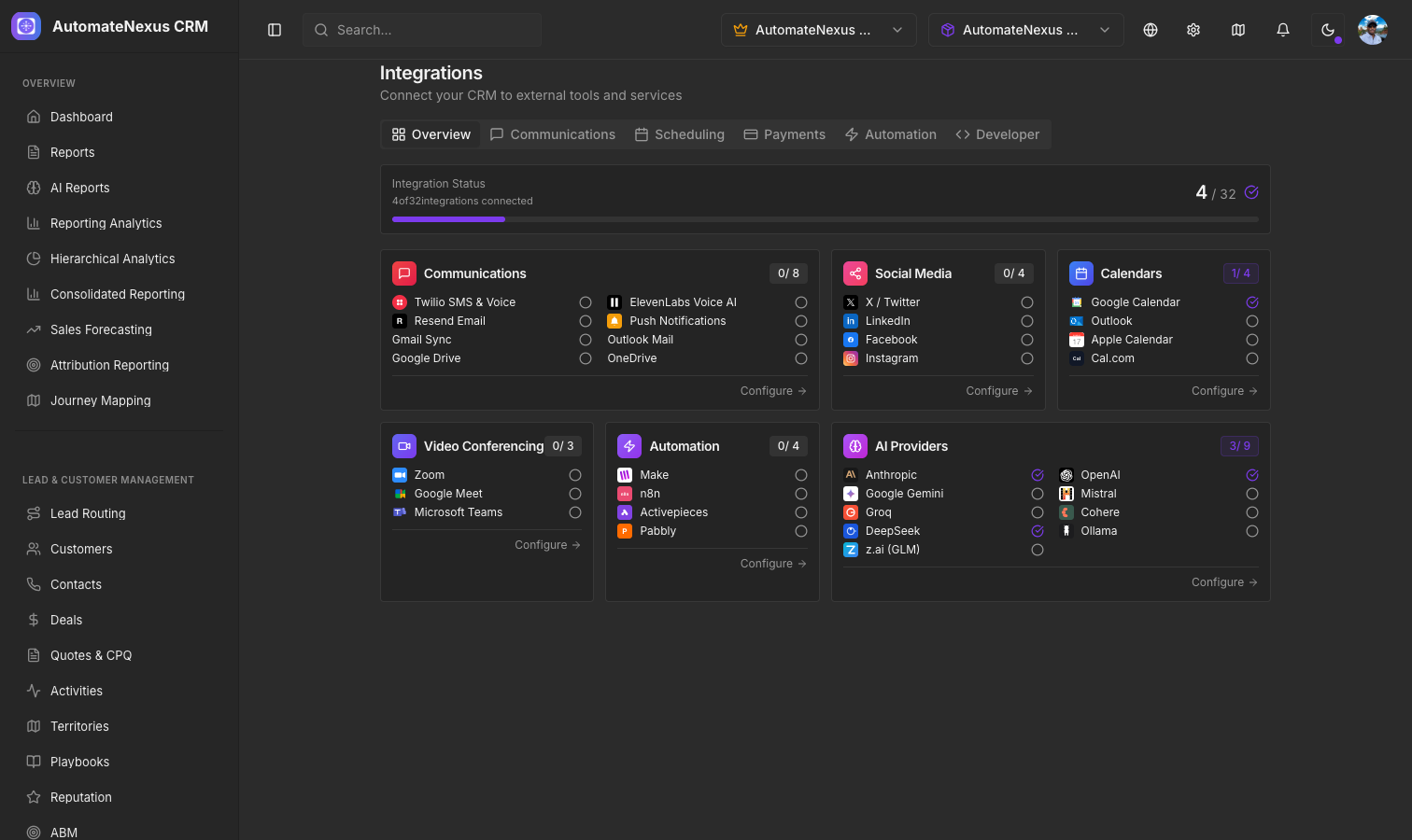
Open Administration → Integrations in the sidebar (the page is also Settings → Integrations). The page heading shows how many integrations are connected, and a left menu divides it into sections: Overview, Communications, Scheduling, Payments, Automation and Developer.
Overview#
The Overview shows one card per category with a count such as "3 of 10 connected" and a green dot next to each connected integration: Communications, Accounting, Social Media, Calendars, Video Conferencing, Automation & API, and AI Providers. Click a card to jump to its section.
Communications#
- Voice & SMS — Twilio (SMS and voice on your own Twilio account), ElevenLabs (voice AI) and Deepgram (transcription).
- WhatsApp — Through your Twilio account; messages land in the inbox next to SMS and email.
- Email — Resend for transactional email delivery, and Sending accounts for the SMTP or Resend accounts the CRM sends from.
- Email sync — Gmail and Outlook mail, logging sent and received email to contact timelines.
- File storage — Google Drive and OneDrive.
- Social media — OAuth app credentials for X / Twitter, LinkedIn, Facebook and Instagram, used by the Social Scheduler.
- Push notifications — Web push via VAPID keys.
Scheduling#
- Calendars — Google Calendar, Outlook Calendar, Apple Calendar and Cal.com.
- Video conferencing — Zoom, Google Meet, Microsoft Teams and Zoho Meeting for meeting links on bookings.
Payments#
- Accounting — QuickBooks Online, keeping invoices, payments and customers in step with your books.
- Stripe — Your Stripe keys; the card shows Test mode when test keys are entered.
- Popular Payment Processors and All payment processors — The processor catalog; View All opens Finance → Payment Processors.
Automation#
- Lead enrichment — The model used to enrich new leads.
- AI providers — Your own keys for Anthropic, OpenAI, Google Gemini, Mistral, Groq, Cohere, DeepSeek, Ollama and z.ai (GLM).
- Automation platforms — How Zapier, Make, n8n and Pabbly Connect connect through webhooks and the REST API, with a quick-reference card for each.
Developer#
- MCP server — Expose CRM data to AI tools such as Claude Desktop and Cursor.
- AI connectors — External MCP servers your AI agents can call.
- API endpoint — The REST API base URL, with a Docs button to the API Documentation page.
- API keys — Generate and delete REST API keys (administrators can also manage keys under Settings → API keys).
- Webhooks — Create outbound webhooks, send test deliveries, rotate signing secrets and read delivery logs.
- Documentation — Links to the API Documentation, Webhook Guide, Integration Guides and Developer Resources pages.
Developer API#
Build custom integrations using the AutomateNexus CRM REST API. The API provides access to contacts, customers, deals, tasks, notes, invoices and more, with search and bulk endpoints, authenticated with an API key in the Authorization: Bearer header and limited to 120 requests per minute per key. See the API Overview & Authentication guide for endpoints and authentication details.
Related Articles#
- API Overview & Authentication — Endpoints, authentication and rate limits for the REST API.
- Webhooks & Custom Integrations — Outbound webhooks and custom integration patterns.
- Automation Platform Connections — Zapier, Make, n8n and Pabbly Connect.
- MCP Integration Guide — Connect AI tools to your CRM and add AI connectors.