Security Settings#
Navigate to Settings → Security (shown to organization admins) to set your organization's two-factor policy:
- Two-factor authentication — Choose who must protect their sign-in with an authenticator app under Required for: Administrators (owners, admins and managers must enroll before they can use the app), Everyone (every staff member must enroll; client portal users are not affected) or Optional (nobody is required, but anyone who has enrolled is still asked for a code at sign-in). The card shows how many administrators and members have enrolled. Click Save policy; people who now have to enroll see the setup screen the next time they open the app.
Each person manages their own sign-in under Settings → Authentication:
- Session — Your email, sign-in method and last sign-in time.
- Cards to change your password and your email address.
- Two-factor authentication — Turn on a code from an authenticator app for your own account (scan the key, then enter the six-digit verification code), or turn it off with a current code.
- Sessions — This device's session is listed; Sign out other devices and Sign out all devices end your sessions elsewhere.
- Export your data — Downloads your profile, contacts, deals and activity history as a JSON file.
- Delete account.
Approval Workflows#
Set up approval workflows from Settings → Approvals (shown to organization admins) so that certain records wait for an admin before they are finalized:
- Pending lists the requests waiting for review, with the count shown next to Approvals in the Settings menu; History shows approved and rejected requests.
- Approvals are switched on per record type. Where the Configure tab is available, it lists Which records wait for approval: Invoice, Payroll Period, Deal, Order, Journal Entry, Project and Employee, each with an On/Off switch, a Require a note when rejecting switch and an Auto-approve after hours field (saved but not enforced yet). If the tab is not available to you, approval workflows are switched on per organization by the AutomateNexus CRM team; contact support to have invoices, deals, orders, projects or other records wait for an admin.
- Quote approvals — Under Settings → Invoicing, the Quotes card has Approval above (% discount) and Approval below (% margin) thresholds. A quote that discounts more than the limit, or whose margin falls under it, needs an admin's approval before it is sent. Setting a threshold to 0 turns that rule off.
Data Migration#
The Data Migration page imports contacts and customers from another CRM or a spreadsheet export. It is offered as Upload CSV in the onboarding wizard's import step and can be opened directly at /data/migration:
- Choose Contacts (people and leads) or Customers (business accounts), then upload a
.csvor.jsonfile. A downloadable import template shows the expected columns. - Field Mapping matches your columns to CRM fields, with a Data Preview; columns you do not need can be skipped.
- The review step validates every row before anything is written, shows Error Details, and lets you download an error report.
- When the import completes, a summary shows what was imported and links to the new records.
Data Warehouse#
Connect your own data warehouse for advanced analytics and reporting under Administration → Data Warehouse. The page shows your connections, sync configs, recent syncs and success rate, with tabs for:
- Connections — Snowflake, Amazon Redshift, Google BigQuery, Azure Synapse, Databricks, DOMO, Apache Spark, ClickHouse, PostgreSQL or MySQL, each with a connection test.
- Sync configs and Scheduler — Which data is synced to the warehouse and how often.
- Logs, Monitoring, Analytics and Notifications — Sync history, health and alerts.
- API keys — Keys used by warehouse jobs to read from the CRM API.
- Webhooks — Notified when a sync finishes or fails.
Audit Logging#
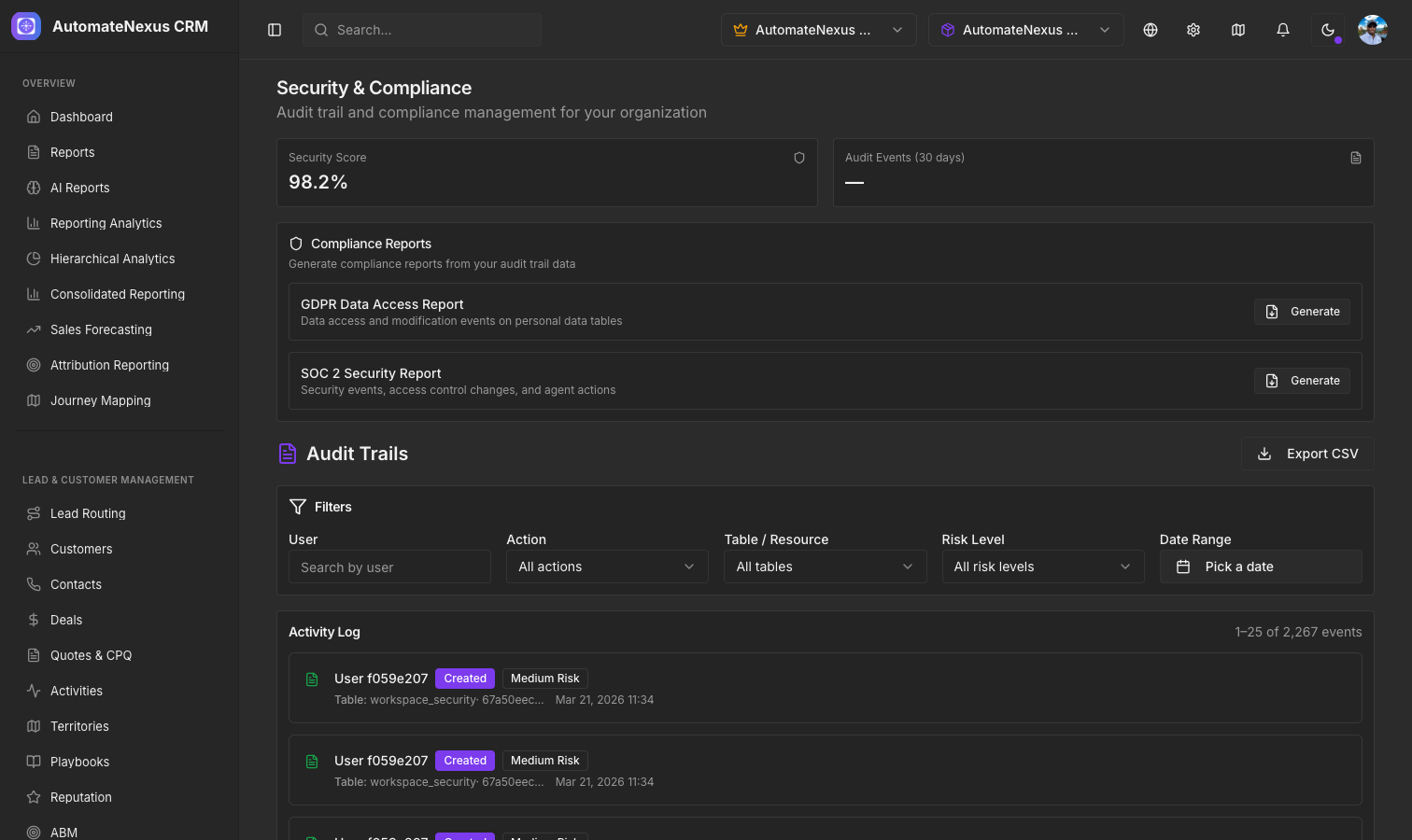
AutomateNexus CRM keeps an audit log of changes in your organization. Open Settings → Audit log (shown to organization admins) to see who changed what and when:
- Each event records the action (Create, Update or Delete), the table it touched (the filter offers API keys, Contacts, Customers, Deals, Invoices, Organizations, Profiles and Projects), who made the change, the fields that changed, a risk level and the date.
- Filter by user, action, risk level (High, Medium, Low), table and date range.
- Export CSV downloads every event matching the filters, up to the newest 5,000; narrow the date range to export older events.