Sales Playbooks#
Playbooks are structured guides that help your sales team follow best practices at every stage of the deal. Each playbook contains sections of questions, scripts, tips, checklists and battle-card notes, and names the deal stages it applies to.
Creating a Playbook#
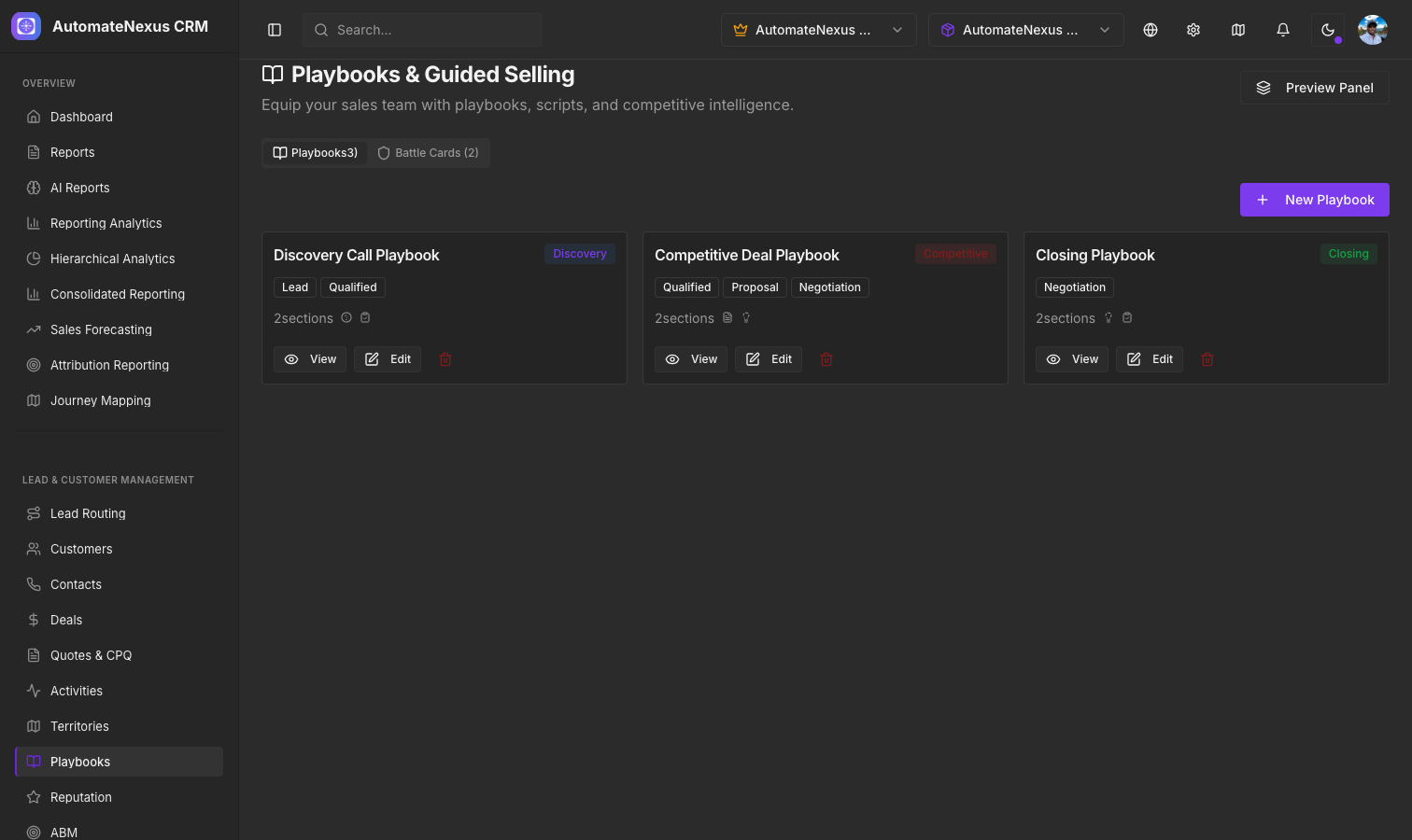
Navigate to CRM → Playbooks and click + Playbook:
- Give the playbook a Title and select a Type (General, Discovery, Objection Handling, Competitive, Closing)
- Choose which Deal Stages the playbook applies to: lead, qualified, proposal, negotiation or closed won
- Add Sections, each with a title, a type (Questions, Script, Battle Card, Tips, Checklist) and its items, one per line
- Save. The playbook appears as a card showing its type, its number of sections and its deal stages, and can be edited or deleted from the card's menu
Competitive Battle Cards#
Battle cards are quick-reference sheets for competitive situations. Open the Battle cards tab and click + Battle card. Each card includes:
- Competitor Name
- Strengths — What the competitor does well
- Weaknesses — Where they fall short
- Objection / Response Pairs — Common objections about the competitor and how to respond
- Win Tips — Strategies that have worked against this competitor
Click a competitor's name to read the full card.
Contextual Guidance#
The Preview panel button on the Playbooks page opens the Guided Selling panel, a slide-out sheet that shows your active playbooks the way a rep works through them. Reps can:
- Tick off questions and checklist items as they cover them; a running count of items completed sits at the bottom
- Read scripts and tips inline
- Reference the Battle Cards Quick Reference: each competitor's top strengths and weaknesses and its win tip