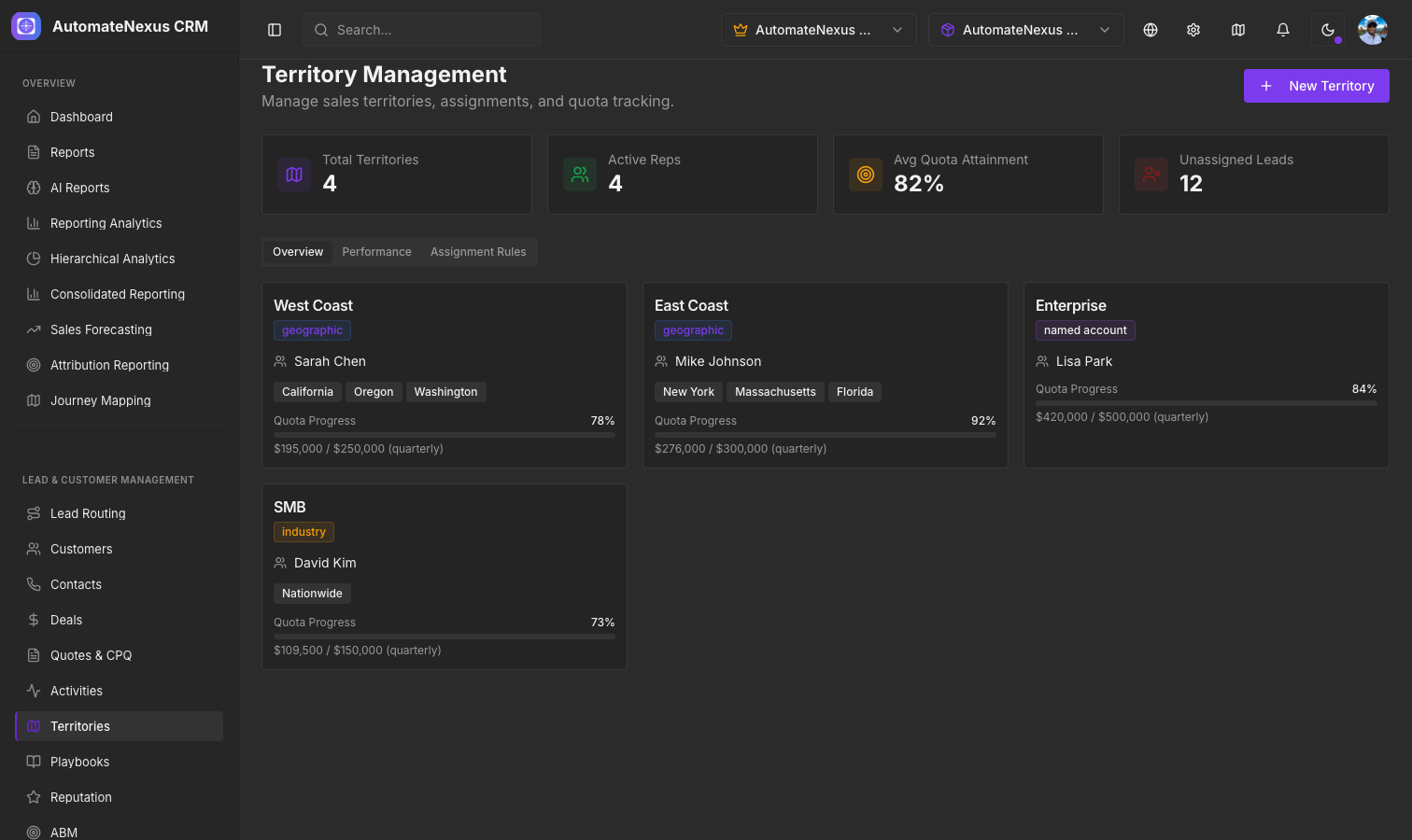
What is Territory Management?#
Territory Management allows you to divide your market into defined segments and assign sales reps to each. This ensures balanced coverage, clear ownership, and accountable quota tracking. You will find it under CRM → Territories, with four tabs: Overview, Performance, Assignment Rules and Hierarchy.
Territory Types#
AutomateNexus CRM supports four territory types:
- Geographic — Defined by regions, states, countries, or zip codes
- Named Account — Specific high-value accounts assigned to a territory
- Industry — Segmented by vertical market or industry
- Hybrid — Combination of geographic, account, and industry criteria
Creating Territories#
Navigate to CRM → Territories and click New Territory:
- Enter a Territory Name and select the Type
- Optionally choose a Parent Territory to nest it under
- Define the Regions (comma-separated for multiple)
- Set the Quota Amount and Quota Period (Monthly, Quarterly or Annual)
- Choose the Assigned Rep
- Optionally add Named Accounts (comma-separated)
- Leave Active Territory on, or turn it off to keep the territory inactive
Quota Tracking#
Each territory has a quota allocation that tracks:
- Quota amount — Target revenue for the period
- Attainment percentage — How close the territory is to hitting quota
- Pipeline value — Total open deal value in the territory
The cards at the top of the page summarize Total Territories, Active Reps, Avg Quota Attainment and Unassigned Territories.
Assignment Rules#
The Assignment Rules tab defines which territory and rep should own leads and deals matching criteria like region, industry, or deal size. Click Add Assignment Rule and give the rule a name, a priority from 1 to 10, the territory it points to, a Criteria Type (Region, Industry, Deal Size or Company Size) with its value, and the assigned rep. Rules are shared with your whole team.
Performance Dashboards#
The Territories page includes a Performance tab showing:
- A Territory Performance Table with each territory's deals and pipeline
- Quota Attainment by Territory progress bars
- A Pipeline Distribution bar chart
The Hierarchy tab shows territories nested under their parent territories.