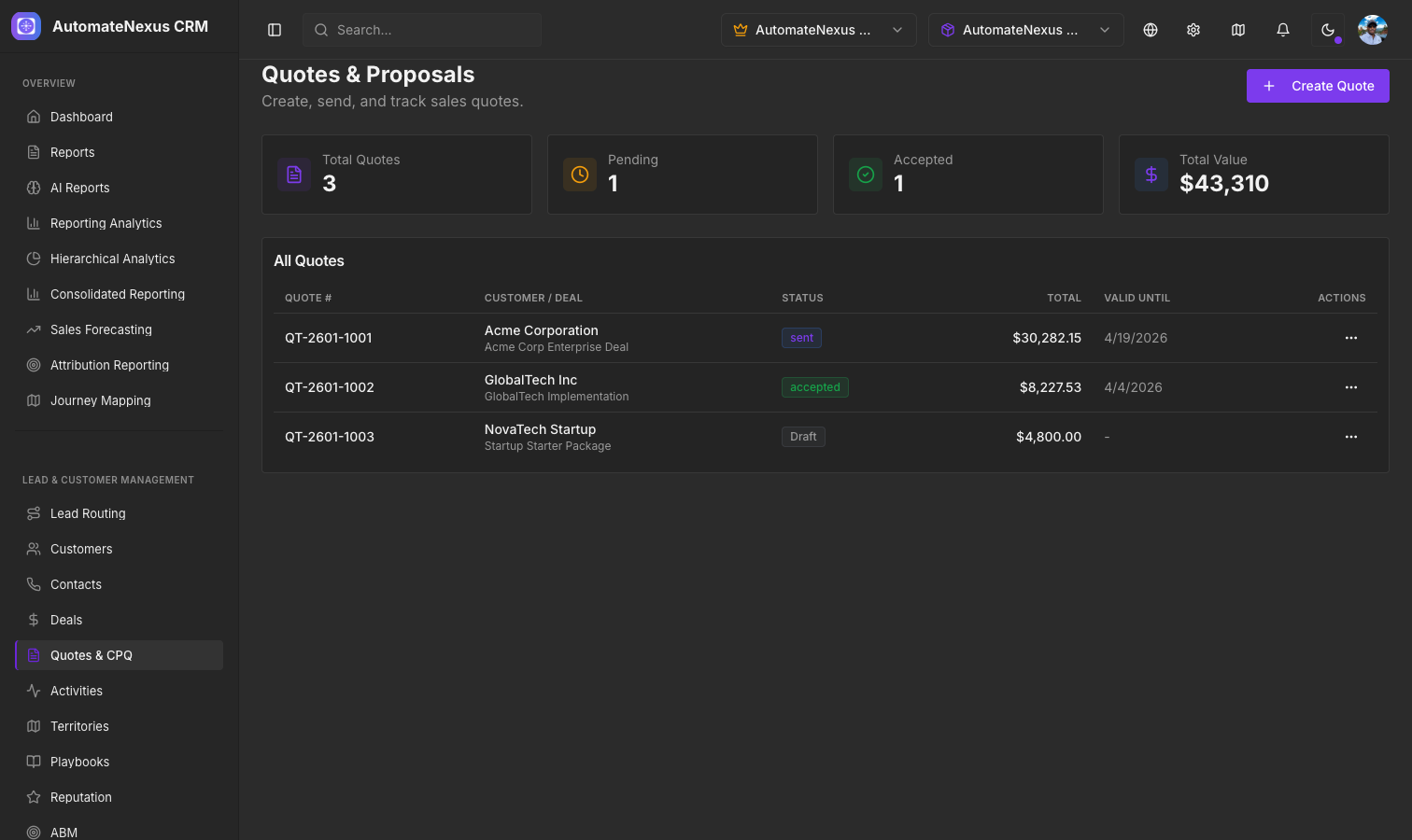
Overview#
The Quotes module lets you create professional quotes for customers and deals, add product line items, apply discounts, send them for acceptance, and convert accepted quotes into invoices — all within AutomateNexus CRM. The page at CRM → Quotes has tabs for All quotes, Templates, Approvals, Renewals, Tracking, Versions and Analytics.
Creating a Quote#
Navigate to CRM → Quotes and click + Quote:
- A unique quote number is generated automatically; its prefix and next number are set under Settings → Invoicing, which the settings icon on the Quotes page also opens
- Select the customer and optionally link the quote to a deal
- Give the quote a title, a date and a Valid until date, and choose the currency, price book and payment terms
- Add lines from your catalogue of services and products, or type them in: description, quantity, unit, unit price and an optional line discount
- Apply a quote-level discount (a percentage or a fixed amount)
- Set the tax rate and, if you want one, a deposit due on acceptance
- Add notes to the customer and terms
- Click Save draft or Save and send
If your organization has set an approval threshold under Settings → Invoicing, a quote whose discount is over it shows Submit for approval instead of the send button; an admin decides on the Approvals tab before it can go out.
Line Items & Pricing#
Each quote supports unlimited line items, and lines can be marked optional so the customer chooses them. The quote builder calculates totals in real-time:
- Subtotal — Sum of the selected lines (quantity x unit price, less any line discount)
- Discount — Applied as a percentage or fixed amount off the subtotal
- Tax — Calculated on the discounted subtotal
- Total — Final amount due
Quote Lifecycle#
Quotes move through the following statuses:
- Draft — Being prepared, not yet sent
- Awaiting approval — Submitted to an admin because its discount is over the threshold
- Approved — Cleared to send
- Sent — Delivered to the customer
- Opened — Customer has opened the quote
- Accepted — Customer has accepted the terms
- Declined — Customer has declined
- Expired — Quote has passed its Valid until date
From a quote's menu you can Send to customer, Resend, Send a follow-up, Copy customer link, Mark accepted or Mark declined on the customer's behalf, Duplicate it, Save as template, or open its Version history.
Converting to Invoice#
Once a quote is accepted, choose Create invoice from its menu or from the preview to generate a draft invoice with all the line items, pricing, and customer details pre-filled. A quote with a deposit creates the deposit invoice first and then offers Create balance invoice; once the invoice exists, the same menu item reads Open invoice. This eliminates manual data entry and ensures accuracy.
Quote Preview#
Click a quote number to preview exactly what your customer will see, including your company branding, line items, totals, and terms. Once the quote has been sent, the preview also shows when it was opened, how many times, and which sections the reader spent time on.