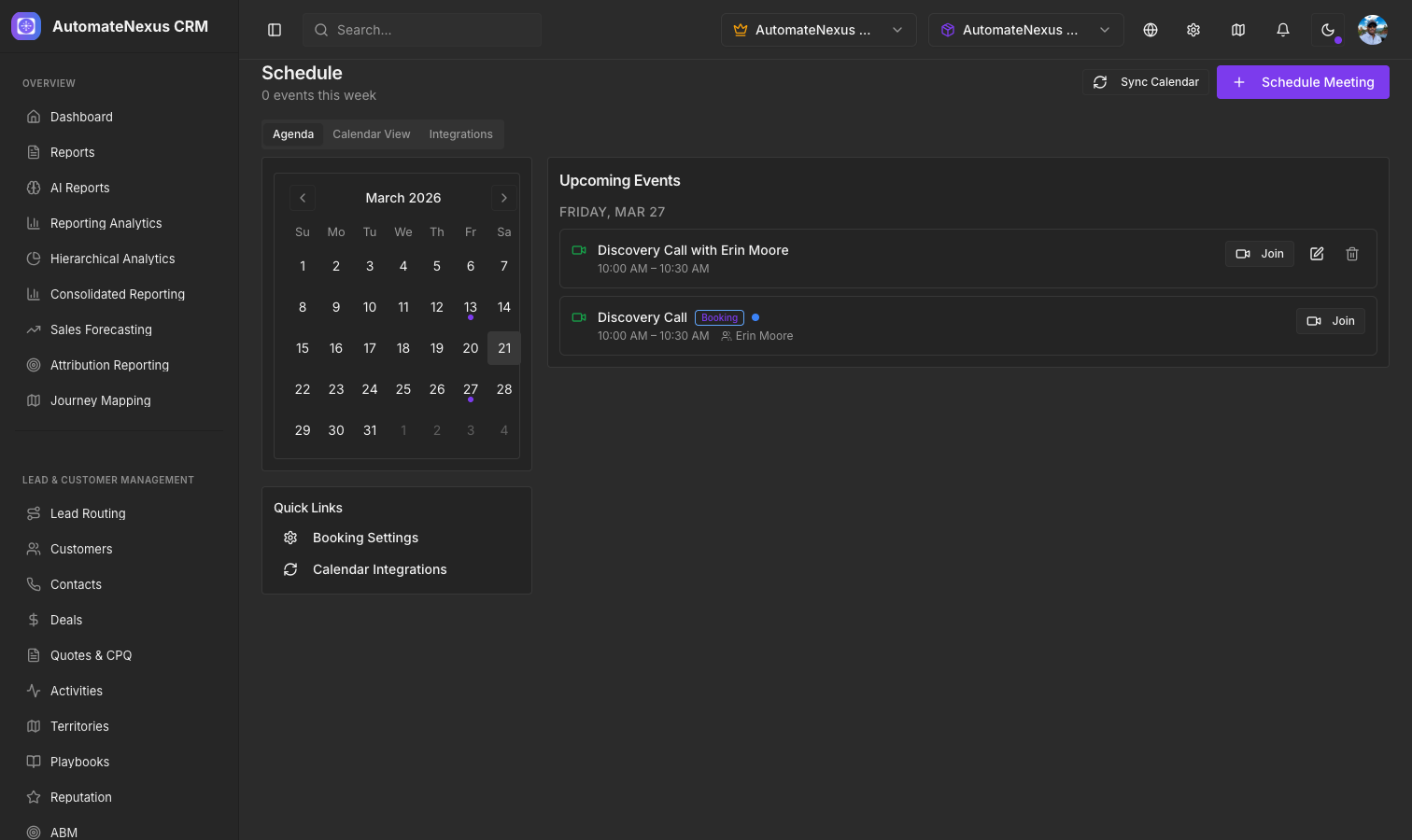
Booking Pages#
Create public booking pages that let prospects and customers schedule meetings with you. Booking lives under Scheduling → Booking, with Dashboard, Calendar, Availability, Analytics, Insights and AI Optimization views; the Availability view holds the settings tabs General, Availability, Profiles, Calendar, Notifications, Payments, Workflows, Routing and Import. Each event type can be customized with:
- Duration (15 minutes to 4 hours) and buffer time between meetings (up to 1 hour)
- Location: Video Call, Phone Call, In Person or Custom, with video links created on Zoom, Google Meet, Microsoft Teams or Zoho Meeting
- An optional price in USD, EUR, GBP or CAD, collected through the processor connected on the Payments tab
- Group bookings and recurring meetings (weekly, biweekly or monthly)
A booking form gives an event type its public page, with its own address, heading and description. Confirmation and reminder messages are covered below.
Calendar Sync#
AutomateNexus CRM integrates with external calendars through two-way sync. Connect them on the Calendar tab of Booking (or under Settings → Integrations → Scheduling, which also lists Apple Calendar and Cal.com):
- Google Calendar — Sync events bidirectionally so availability is always accurate
- Microsoft Outlook — Connect your Microsoft calendar for seamless scheduling
The sync settings are Two-Way Sync, Auto-Create Meeting Links and Customer Matching. Two-way sync ensures that meetings booked in AutomateNexus CRM appear on your external calendar, and events from your external calendar block availability on your booking pages.
Appointment Management#
Scheduling → Calendar shows everything scheduled, as an Agenda or on a Calendar by month, week or day, filtered to meetings or bookings, with Add to calendar (.ics) on each event. From the Booking Calendar view you can open a booking to Reschedule or cancel it, and invitees can reschedule or cancel from the link in their confirmation.
Automated Reminders#
Under Booking → Notifications, the automatic notifications send for every booking with no setup: a confirmation email, reminder emails, cancellation and reschedule emails, and SMS confirmation and reminders. Custom Notification Rules add your own: choose Email or SMS, the event, the timing (Immediately, 15 minutes before, 1 hour before, 24 hours before or 1 week before), the recipient, and a message template with merge tags such as {{booker_name}}, {{date}}, {{time}}, {{event_name}} and {{meeting_url}}.
Public Booking Links#
Share your booking link via email, your website, or social media. When a prospect books a meeting:
- The slot is checked against your connected calendar, so a time that has just been taken is refused
- A meeting link is created on your video provider and the event is written to your Google or Outlook calendar
- The confirmation and reminder messages go out
- Any Booking Workflows you have set up run: on Booking Created, Confirmed, Cancelled, Rescheduled or Completed, or for a New Customer, they can send an email or SMS, create a task, log an activity, or call a webhook