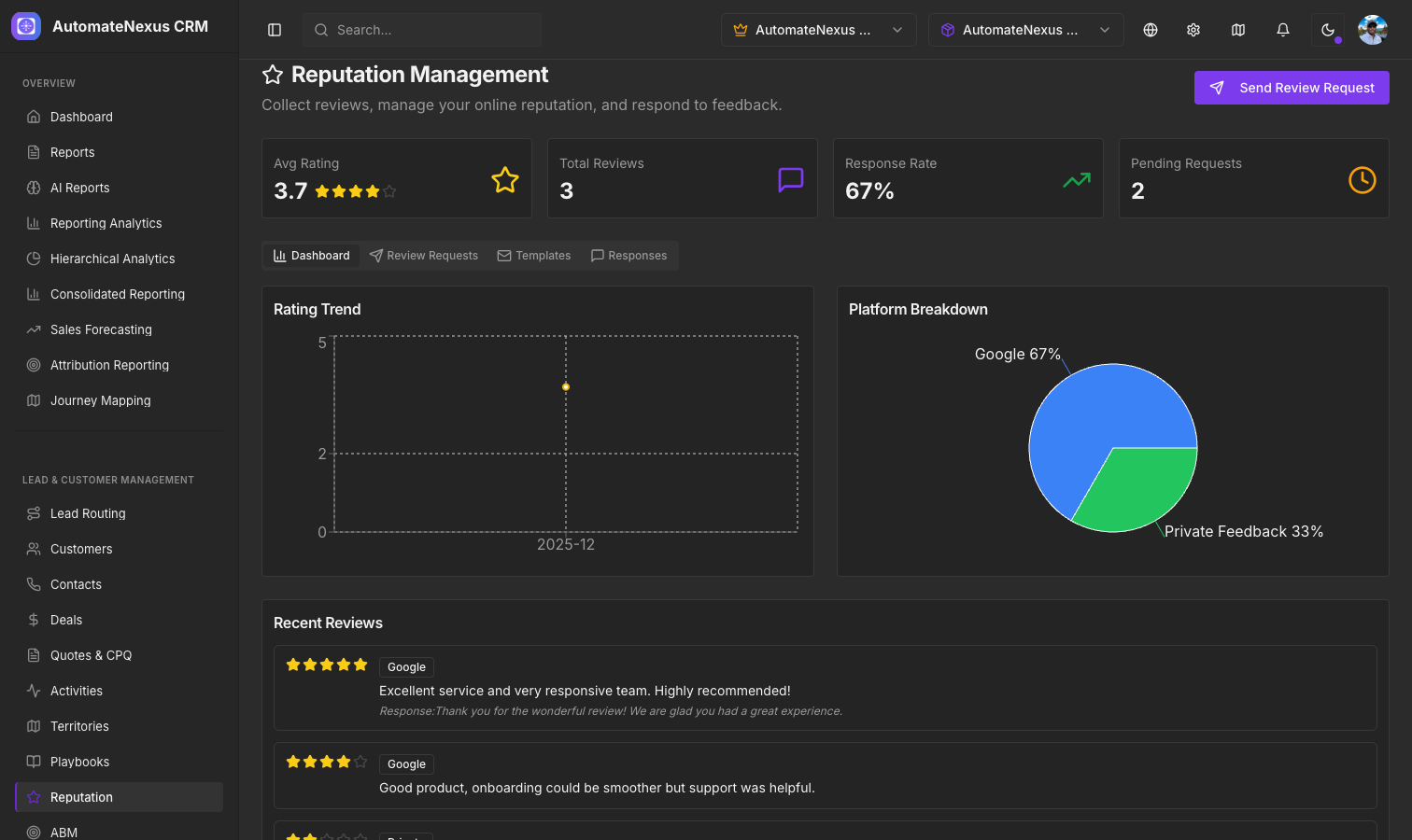
Overview#
Reputation Management helps you build and maintain a positive online presence by sending review requests to your customers and responding to the feedback you receive. You will find it under Marketing → Reputation, with four tabs: Dashboard, Review Requests, Templates and Responses.
Review Request Flow#
On the Reputation page click Send Review Request:
- Select the customer and the channel (Email or SMS)
- Choose a review request template
- Preview the message with the merge fields populated
- Send the request
Requests are listed on the Review Requests tab with their status: pending until delivery succeeds, then sent, and completed once the customer has left a rating.
Templates#
Create reusable templates for review requests on the Templates tab. Each template has a name, a channel (email templates carry a subject line; SMS templates are just the message) and a body, and you can insert the merge fields {customer_name} and {company_name} by clicking them above the body.
Review Dashboard#
The Dashboard tab shows:
- Avg Rating across the reviews you have received
- Total Reviews collected
- Response Rate — Percentage of reviews you have responded to
- Pending Requests — Review requests not yet completed
- Rating Trend — Line chart showing rating changes over time
- Platform Breakdown — Pie chart showing how reviews are distributed across platforms, with private feedback shown separately
- Recent Reviews
Response Management#
Respond to reviews on the Responses tab: open a review, write your response and send it. Responses count toward your response rate.