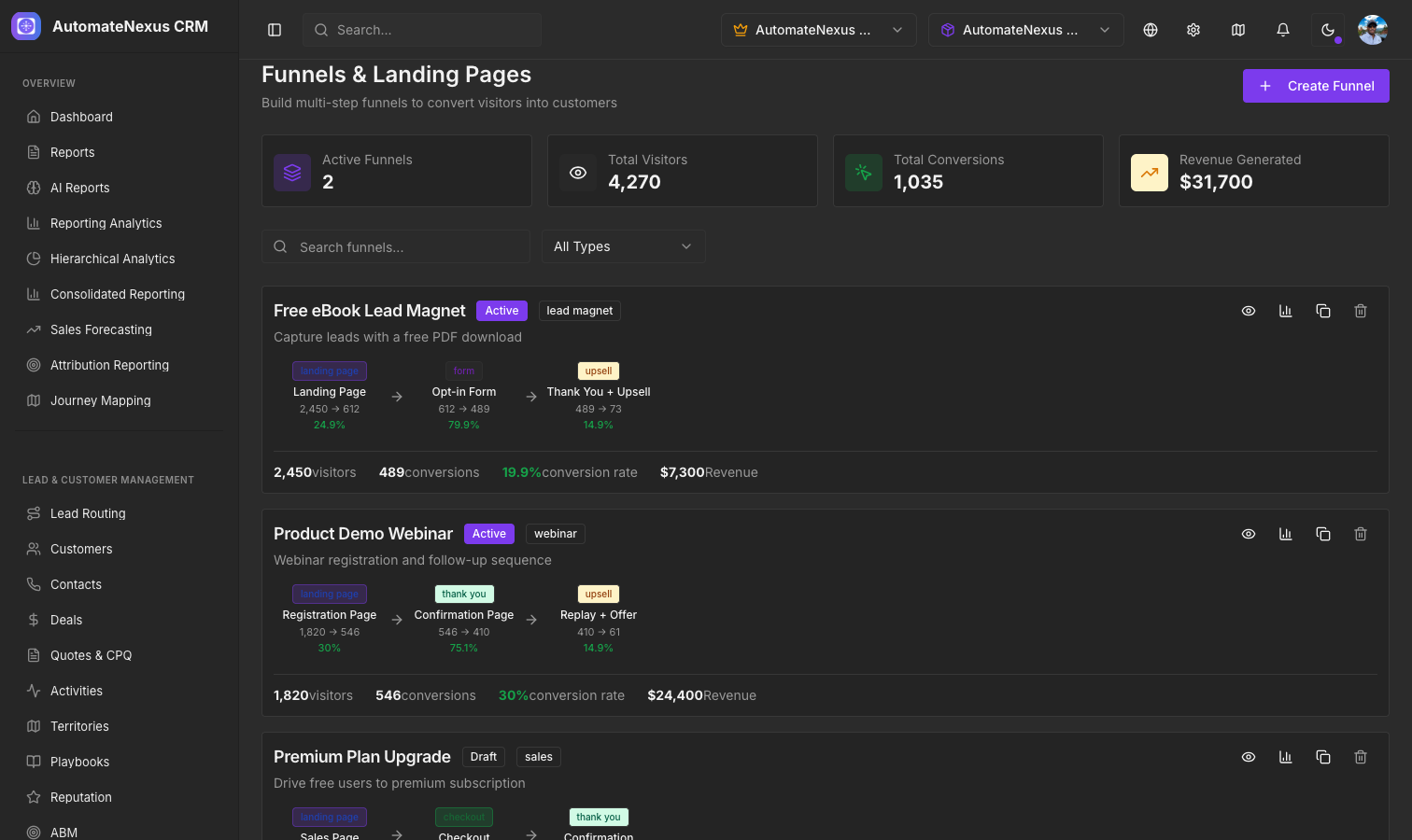
What Are Funnels?#
Funnels are multi-step conversion paths that guide visitors through a series of pages toward a desired action — whether that is capturing a lead, registering for a webinar, or completing a purchase. In AutomateNexus CRM a funnel is an ordered sequence of published pages from one of your sites, so you build the pages first and the funnel second.
Pages Come From the CMS Builder#
Every step is a page built and published with Marketing → CMS & Website Builder. Each published page has its own public address, and the forms you place on those pages collect the leads. Until you have a published site, the Funnels page asks you to build one first.
Creating a Funnel#
Navigate to Marketing → Funnels & Landing Pages and click New funnel:
- Name your funnel and choose the Site whose pages it uses
- Select the funnel in the list on the left, pick a page and click Add step; repeat in the order visitors should move through them
- Design or revise each step's page in the CMS builder
- Use Copy public link on the first step to share your funnel, or Open to view any step
Conversion Tracking#
Each step counts its page views independently, so you can see where prospects drop off. The funnel list shows each funnel's site, number of steps and total views, and the selected funnel shows the form submissions received across its site.